The Smart Push Handle provides electric assistance when pushing the Strutt vehicle, making the vehicle easier to move when it is not being driven.
This guide explains how to install and activate the Smart Push Handle, set its control priority, turn on electric assistance, recognise its indicator lights, and exit the function.
¶ Before You Start
- Install the Smart Push Handle. Attach it to the back of the vehicle by following the installation guide below.
- Complete activation. After powering on the vehicle, scan the Smart Push Handle activation QR code shown on the vehicle display and complete the activation process.
- Keep the vehicle powered on. The Smart Push Handle requires the vehicle to be turned on.
- Stay alert. evSense is turned off when using the Smart Push Handle. Push the vehicle carefully and watch your surroundings.
¶ Install the Smart Push Handle
Follow this video guide for the Smart Push Handle installation before using the handle.
¶ Set the Control Priority (Optional)
You can give the Smart Push Handle the highest control priority so a caretaker can take over control of the vehicle when needed.
- On the vehicle, open Settings.
- Go to Quad Drive → Drive Controls → Control Priority.
- Drag Push Handle to the top of the list.
Control priority also affects how you can exit Smart Push Handle operation:
- The vehicle joystick can take over if Joystick has a higher control priority than Push Handle.
- The virtual joystick in the Strutt app can take over if All Virtual Joystick has a higher control priority than Push Handle.
¶ Turn On and Use the Smart Push Handle
- Press the Strutt button to open the menu.
- Go to Vehicle Mode.
- Tap Push Handle. The indicator light on the handle turns white.
- Hold the handle to activate electric assistance. The green light flashes twice, then remains on.
- Gently push the vehicle using the Smart Push Handle.
While pushing: Stay alert and push carefully. evSense is turned off during Smart Push Handle operation.
| Handle status | Indicator light | What it means |
|---|---|---|
| Smart Push Handle is turned off |
No light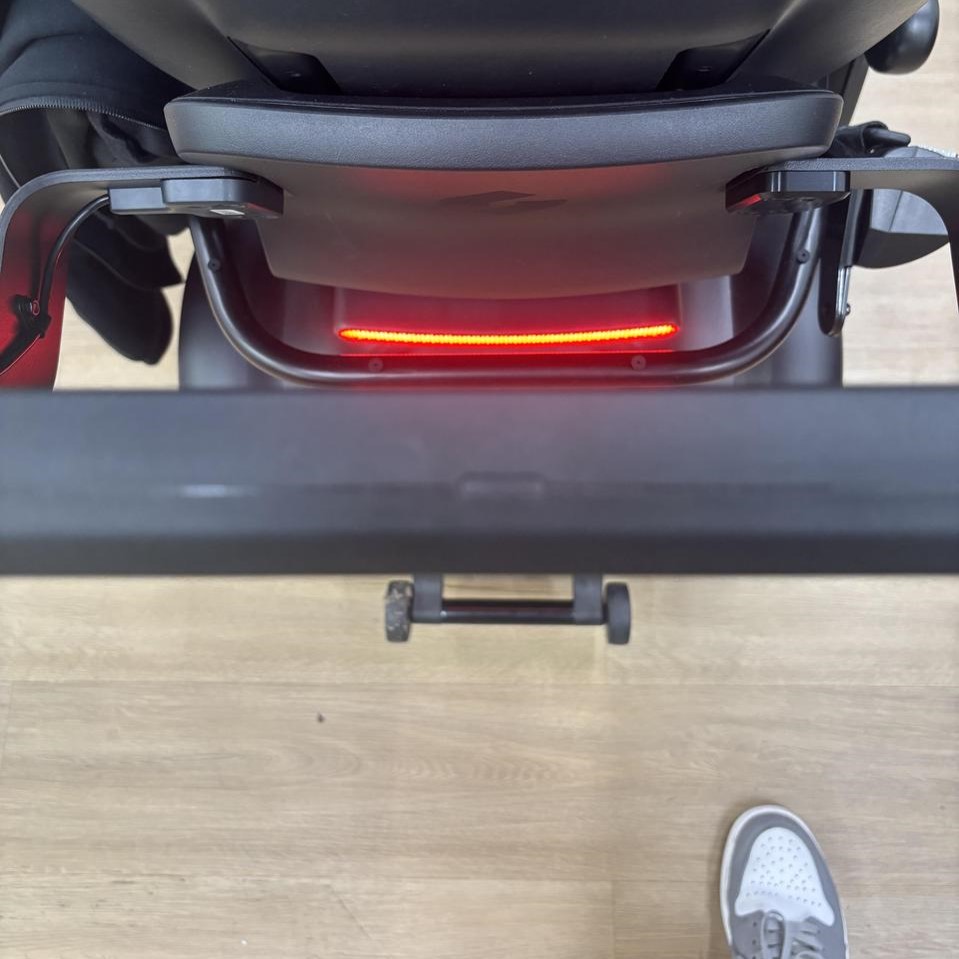
|
The Smart Push Handle is not turned on. |
| Someone tries to push the vehicle while Smart Push Handle is turned off |
Flashing orange |
The Smart Push Handle is not turned on while the vehicle is being pushed. |
| Smart Push Handle is turned on |
White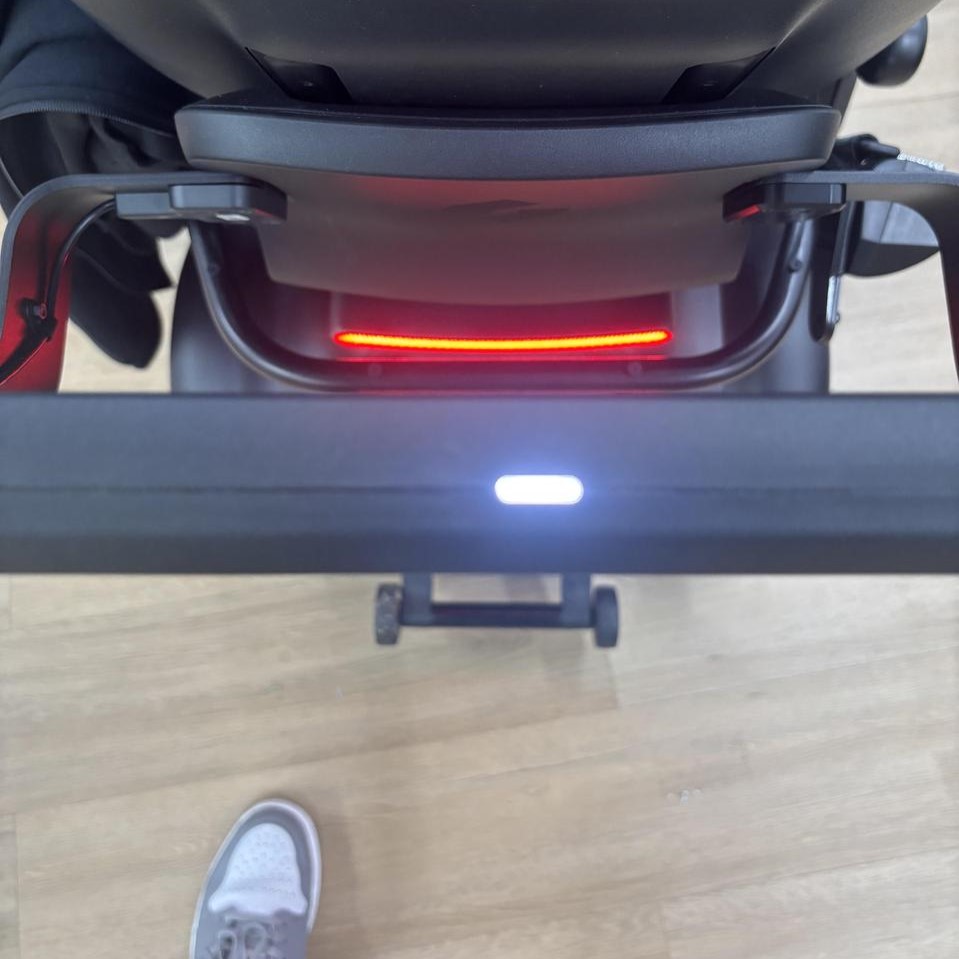
|
The function is turned on. Hold the handle to activate electric assistance. |
| Someone holds the handle to activate assistance |
Green flashes twice, then remains on |
Electric assistance is activating. |
| Smart Push Handle is in use | Steady green 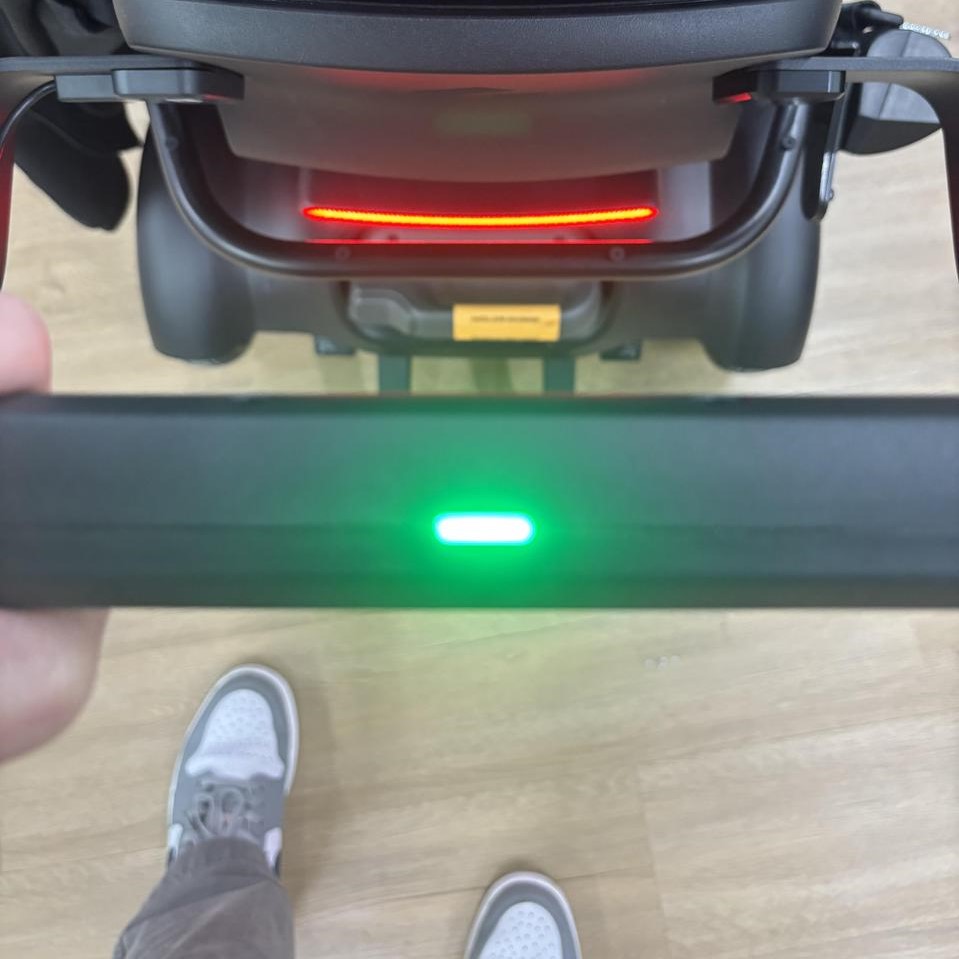
|
The Smart Push Handle is active. |
¶ Stop or Exit Smart Push Handle Operation
You can stop or exit Smart Push Handle operation using any of the following methods:
| Method | What to do | Condition |
|---|---|---|
| Release the handle | Take your hands off the handle. | - |
| Change the drive mode | Switch to Co-Pilot or Co-Pilot+. | - |
| Turn off Smart Push Handle | Press the Strutt button, go to Vehicle Mode, then tap Push Handle. | - |
| Use the power button | Press the power button. | - |
| Use the vehicle joystick | Move the joystick. | Joystick must have a higher control priority than Push Handle. |
| Use the Strutt app | Use the virtual joystick in the phone app. | All Virtual Joystick must have a higher control priority than Push Handle. |
¶ Compatibility with Other Functions
| Function | Compatibility |
|---|---|
| Manual Mode | Compatible |
| Essential Mode | Compatible |
| Range Mode | Compatible |
| Privacy Mode | Compatible |
¶ Safety and Restrictions
- evSense is turned off when using the Smart Push Handle.
Stay alert, watch your surroundings, and push the vehicle carefully throughout operation.
¶ Frequently Asked Questions
¶ Does the vehicle need to be powered on?
Yes. The vehicle must be turned on to use the Smart Push Handle.
¶ Do I need to activate the Smart Push Handle before using it?
Yes. After installing the handle and powering on the vehicle, scan the Smart Push Handle activation QR code shown on the display and complete activation.
¶ What does the white light mean?
The Smart Push Handle is turned on. Hold the handle to activate electric assistance. The green light flashes twice, then remains on.
¶ What does a flashing orange light mean?
A flashing orange light is shown when someone tries to push the vehicle while the Smart Push Handle is not turned on.
¶ Can a caretaker give the Smart Push Handle priority over other controls?
Yes. Go to Settings → Quad Drive → Drive Controls → Control Priority, then drag Push Handle to the top of the list.
¶ Can I take over using the vehicle joystick or the Strutt app?
Yes, provided the relevant control has a higher priority than Push Handle:
- Joystick for the vehicle joystick.
- All Virtual Joystick for the phone app’s virtual joystick.
¶ Is evSense active while using the Smart Push Handle?
No. evSense is turned off. Stay alert and push the vehicle carefully.