¶ Home Screen
Make sure Bluetooth is on and Connected is shown before using Power, Lock or Remote.
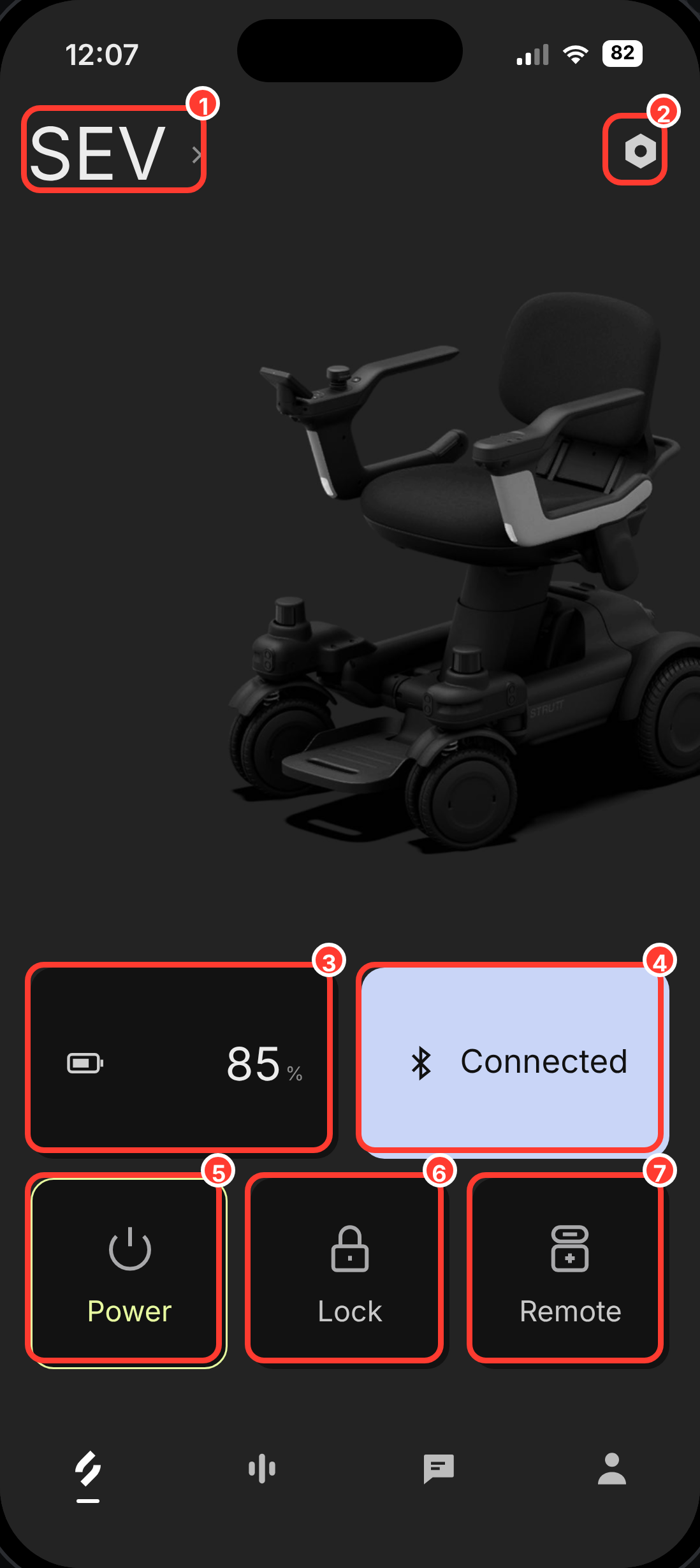
The Home screen is the first thing you see when you open the Strutt app. It shows the status of your ev¹ and gives you quick controls.
| Item | What it does |
|---|---|
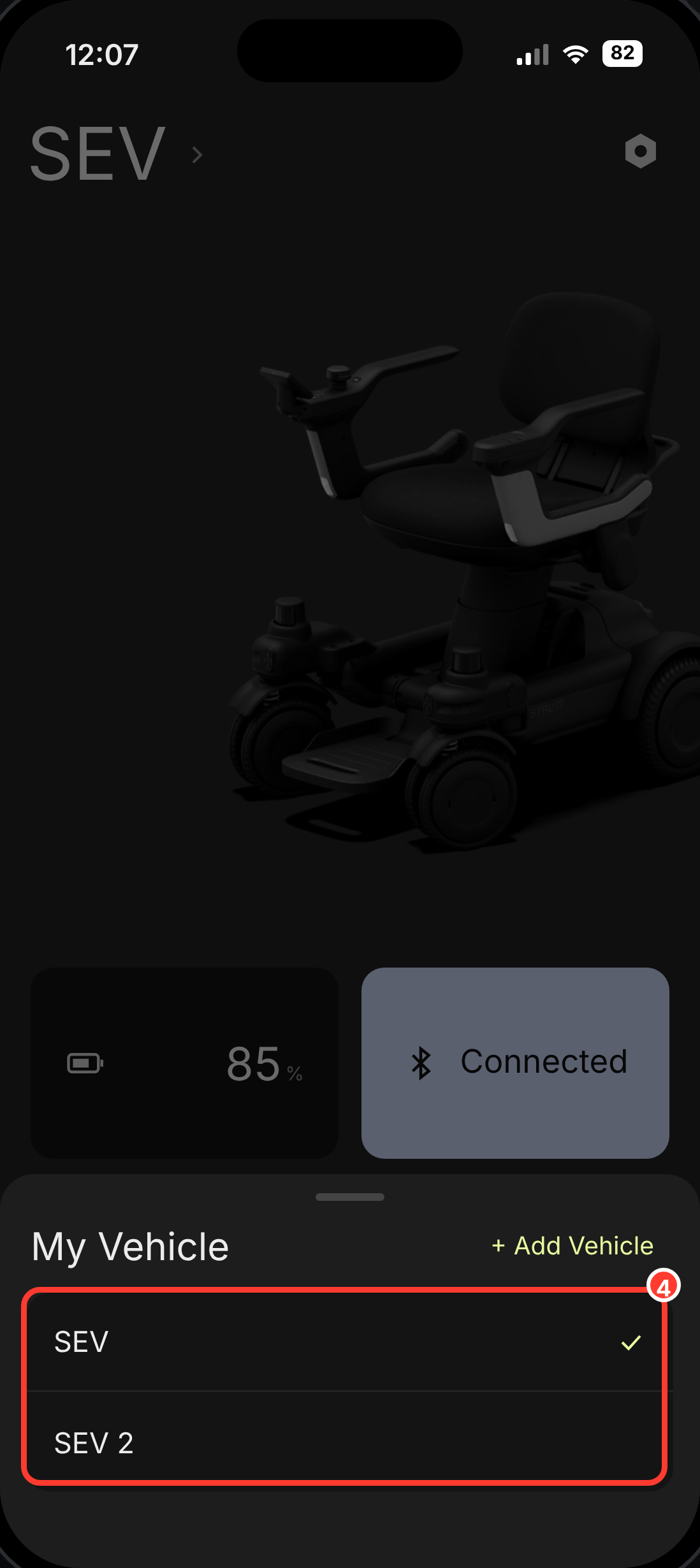
| Vehicle name | Your current vehicle is marked with a tick. Tap + Add Vehicle to add another ev¹ and switch between them. |
| Settings | Opens Vehicle Settings. |
| Battery | Shows the current battery level of the ev¹. |
| Bluetooth | Shows Connected when the app is paired with your ev¹. |
| Power | Turns the ev¹ on or off. |
| Lock | Locks or unlocks the ev¹. |
| Remote | Opens remote controls, including the driving mode selection. |
¶ Add more than one vehicle
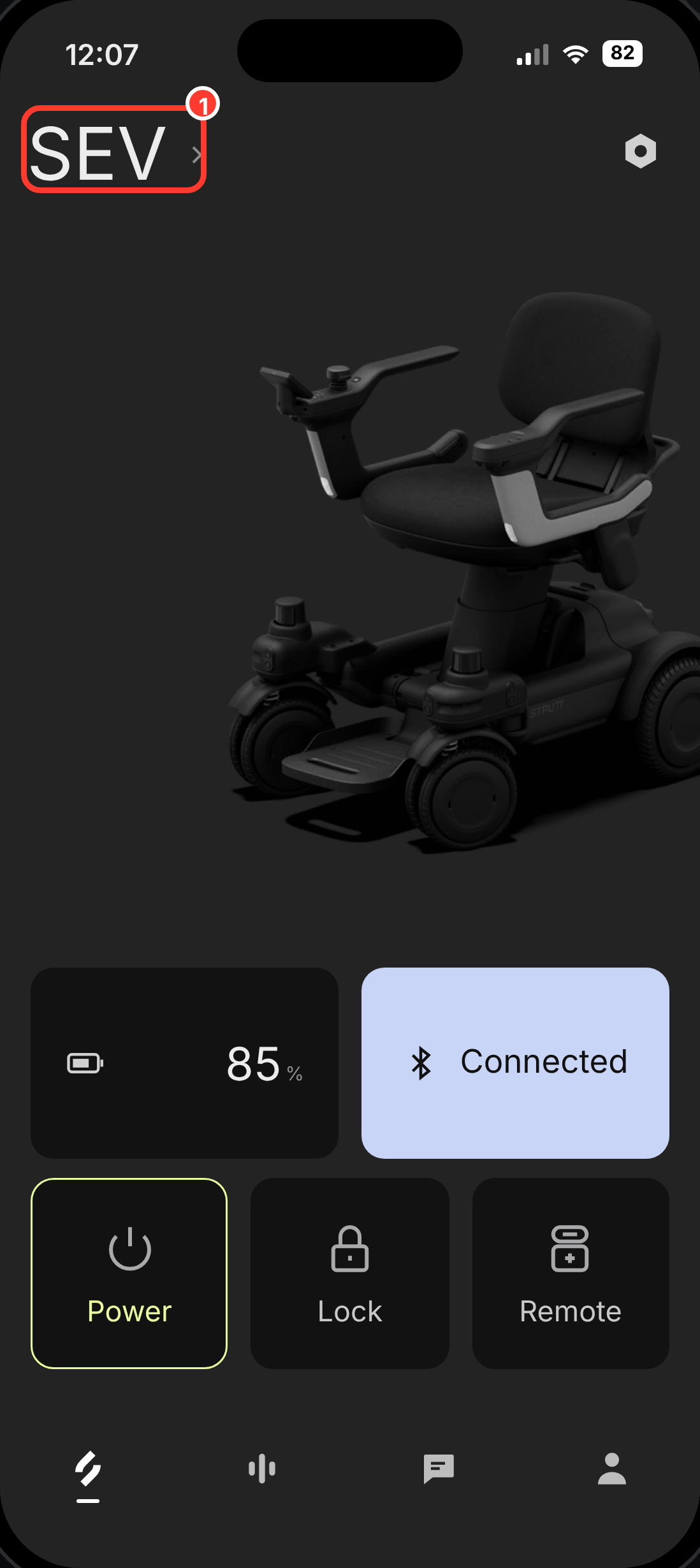
- On the Home screen, tap the vehicle name at the top left (e.g. SEV).
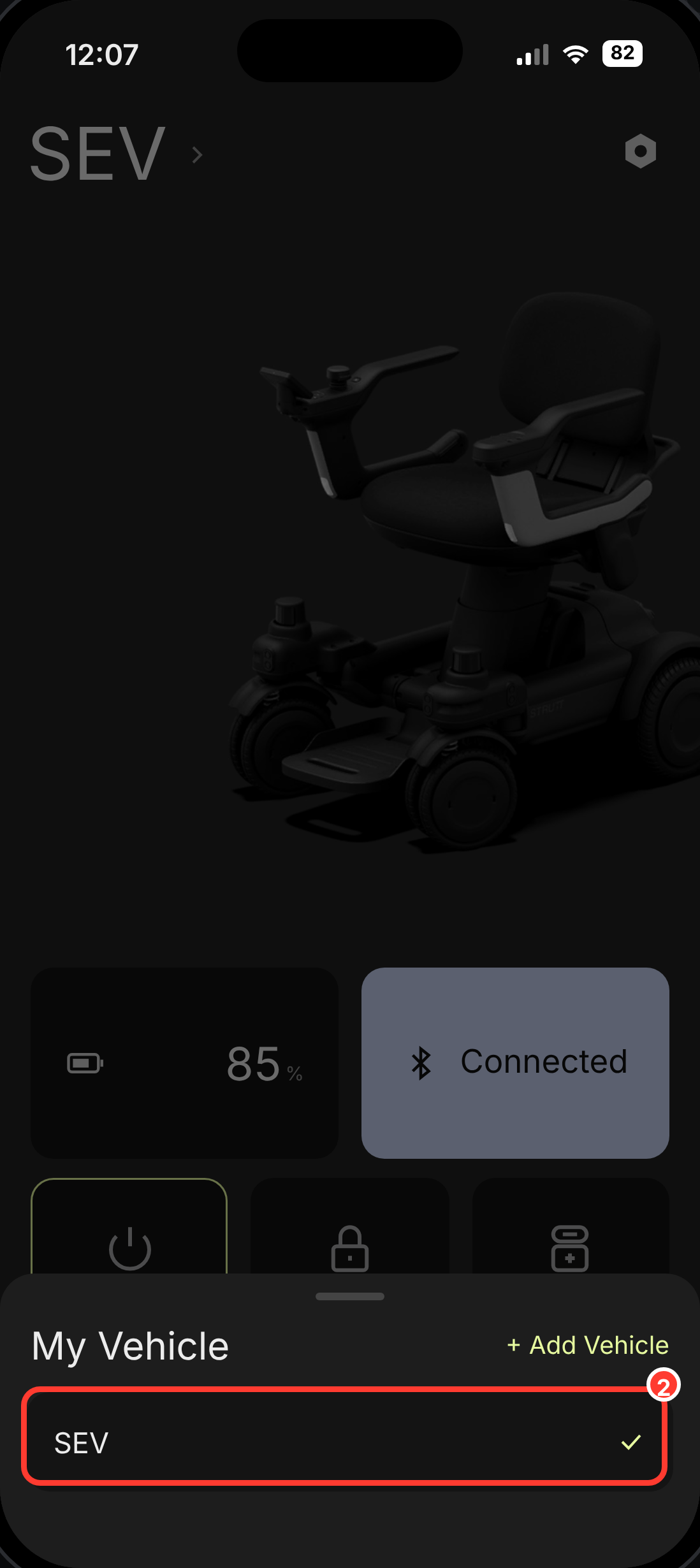
- The My Vehicle sheet opens, listing your vehicles. The one in use has a tick.
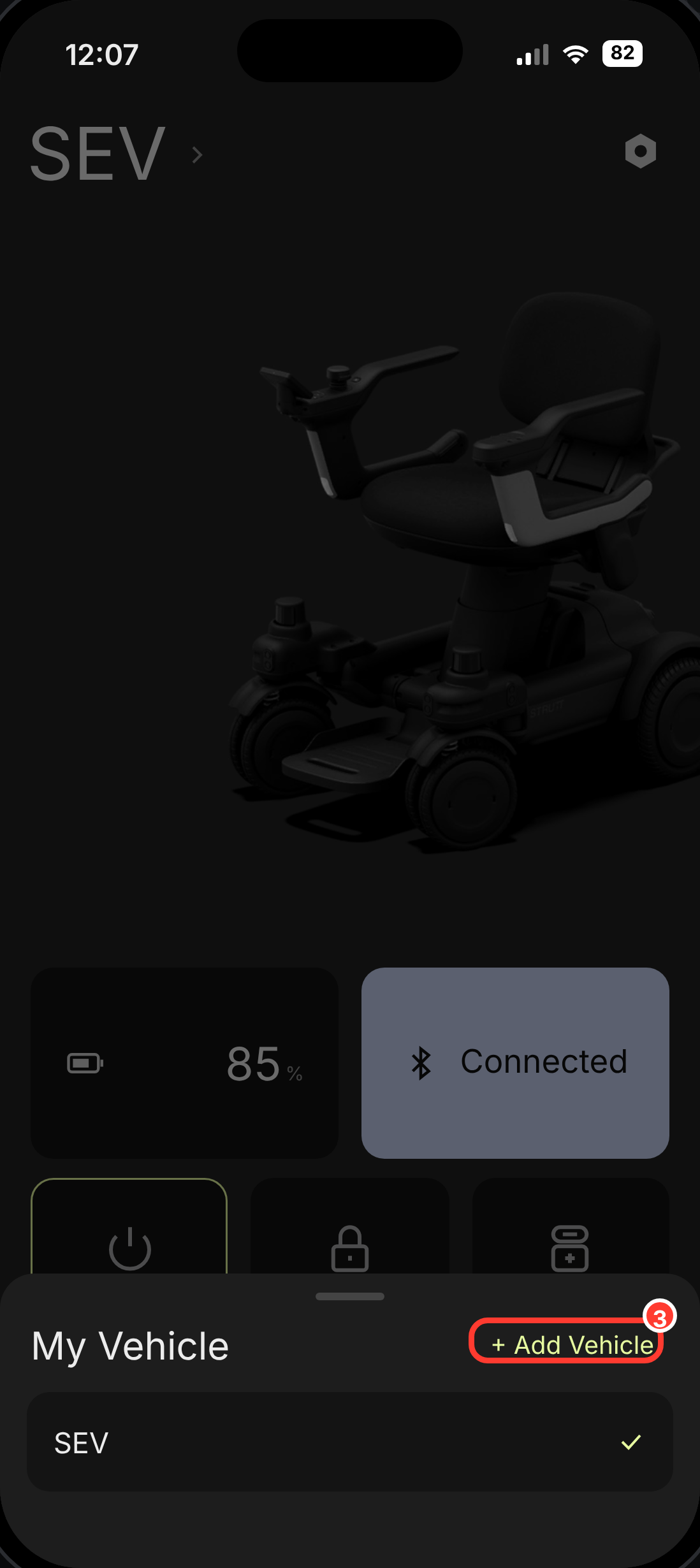
- Tap + Add Vehicle and follow the steps to pair another ev¹.
- To switch vehicles, open My Vehicle again and tap the one you want.
¶ Bottom navigation
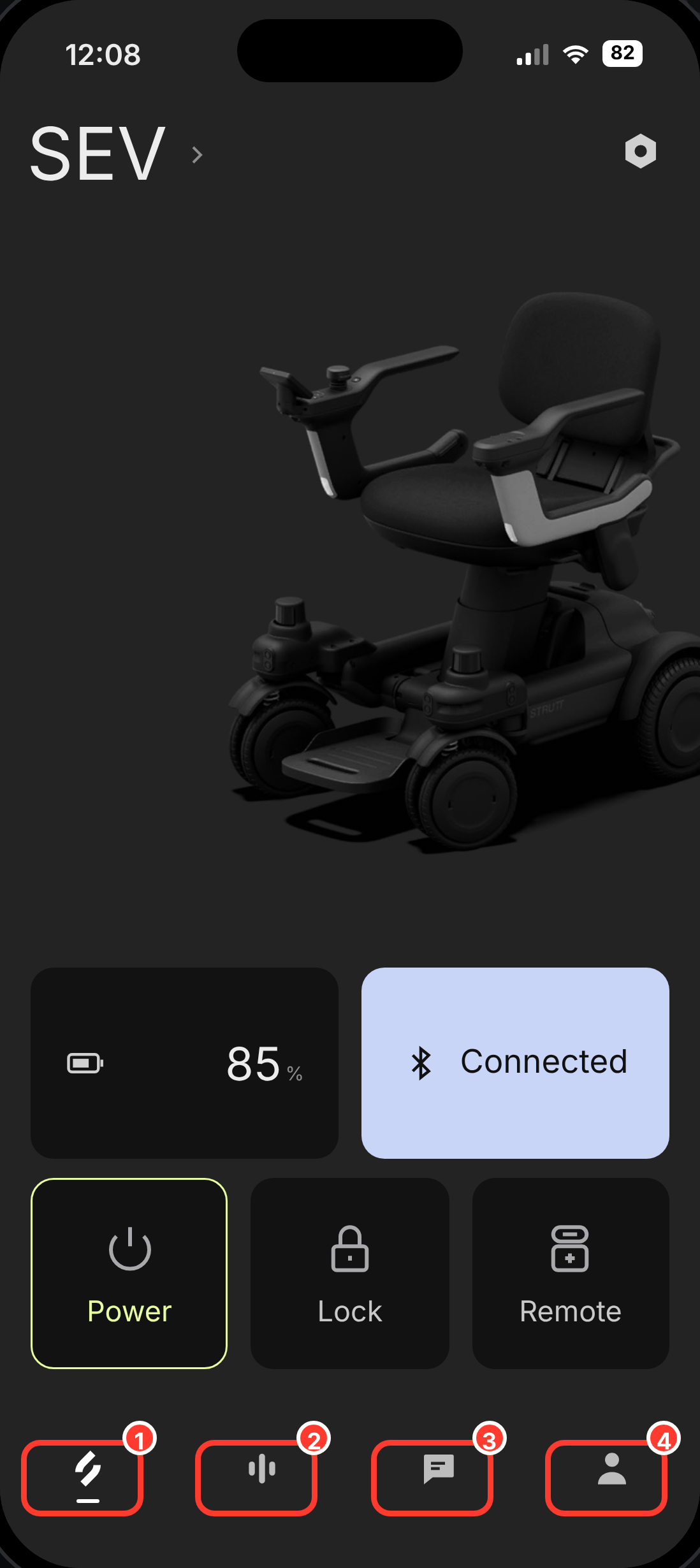
| Icon | Page |
|---|---|
| Strutt logo | Vehicle (Home) |
| Voice wave | AI Assistant |
| Chat bubble | Support (support tickets) |
| Person | Account (profile, language) |