Certain features require you to read and accept a safety waiver before you can access them. This guide explains where to find the waivers and what each one unlocks.
Note
After accepting the waiver agreements in the Strutt App, you must currently enable the corresponding features in the vehicle’s settings before using them.
In a future software update, accepting the waivers in the app will automatically enable these features, with no additional configuration required on the vehicle’s display.
Check the latest software release notes for updates.
¶ Before You Begin
Available waivers depend on your user category, vehicle model, vehicle software version and Strutt app version.
| All Users | Open Beta Program Users | Beta Testers |
|---|---|---|
| Basic Waivers inlcuding • Enable Level S • Disable Collision Alert • Co-pilot Extended Speed • Enable Auto-pilot • Enable Auto-pilot Hands-free |
Applies to vehicle software v1.3.6.3 and later, with app version v2.7.2 or later. All basic waivers, plus: • Enable Cruise Mode • Enable Cruise Mode Hands-free • Enable Follow Mode ev¹c users will have to email beta@strutt.inc to get access to the waivers. |
Applies to vehicle software v1.3.6.3 and later, with app version v2.7.2 or later. • Have access to all waivers • Also need to sign up for the Open Beta Program to unlock all waivers • Test Beta features before releasing to the public |
¶ Available Waivers
¶ Enable Level S
Accept this waiver to unlock Speed Level S for higher-speed driving. The maximum available speed depends on local regulations.
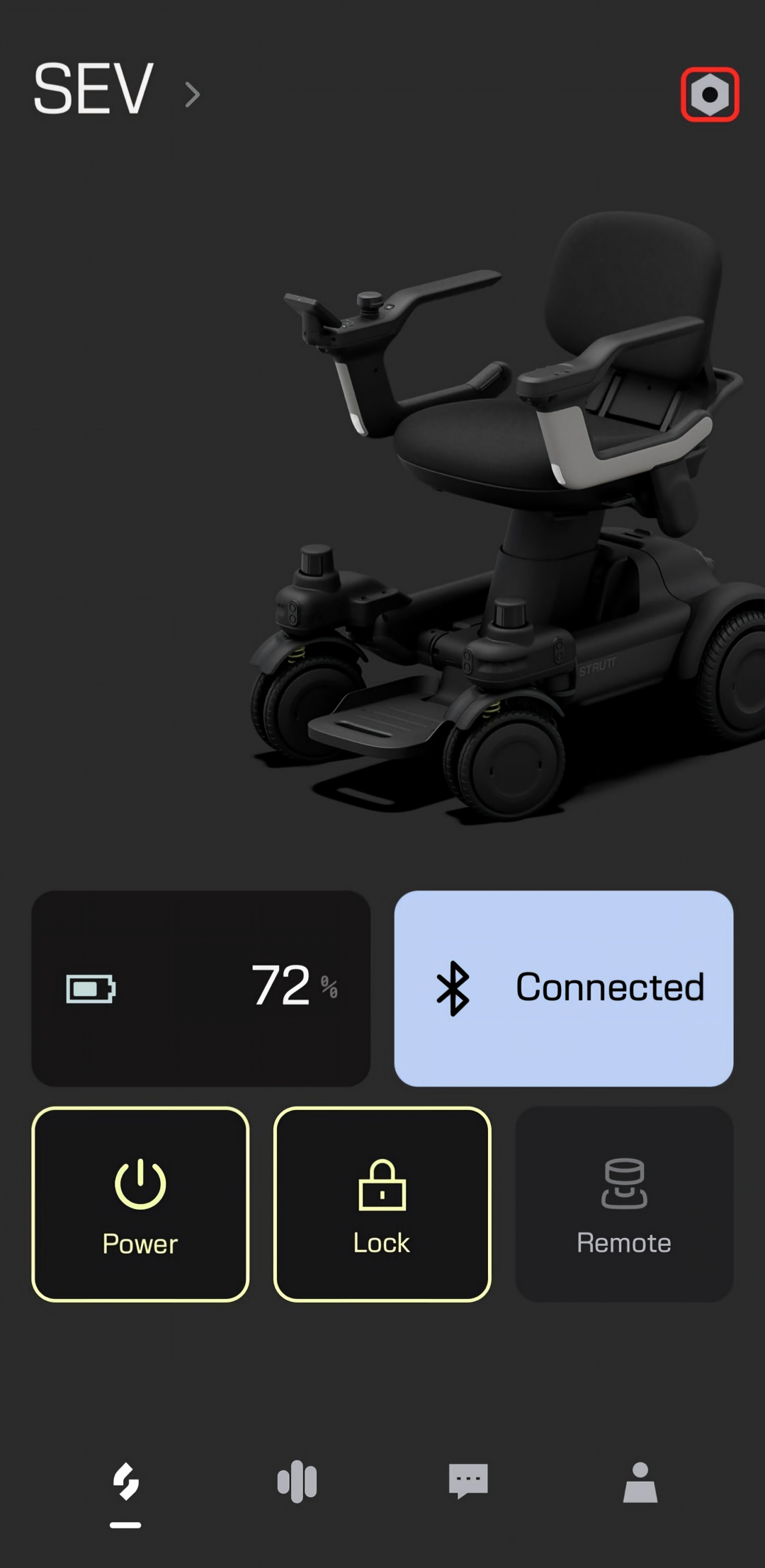
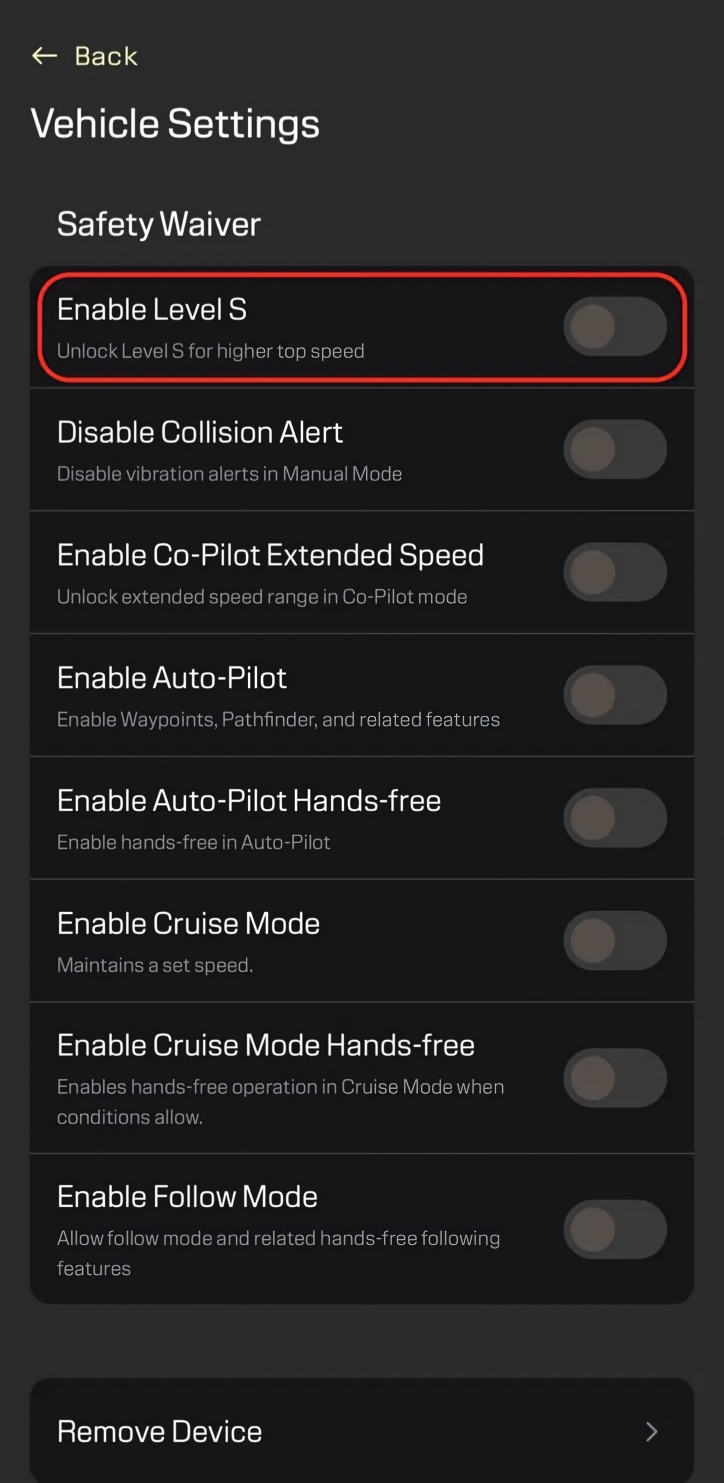
- Open the Strutt app, tap Settings in the top-right corner, then select Safety Waiver.
- Tap the toggle next to the waiver. Read the agreement and scroll to the end, then select I Agree to All if you agree to its terms.
¶ Disable Collision Alert
Accept this waiver to allow obstacle-detection vibration alerts to be turned off in Manual Mode. When these alerts are disabled, the joystick will no longer vibrate to warn you of nearby obstacles.
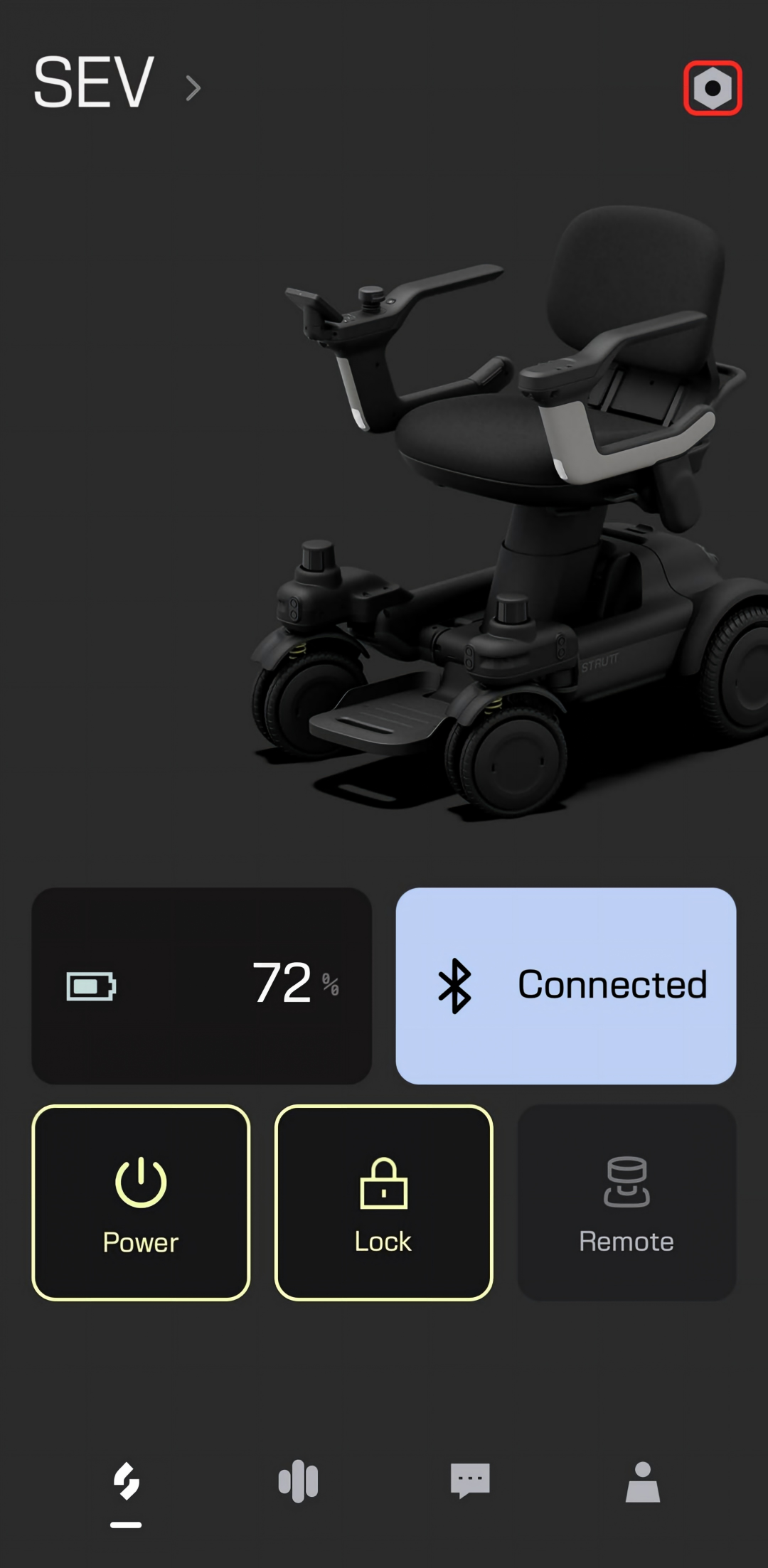
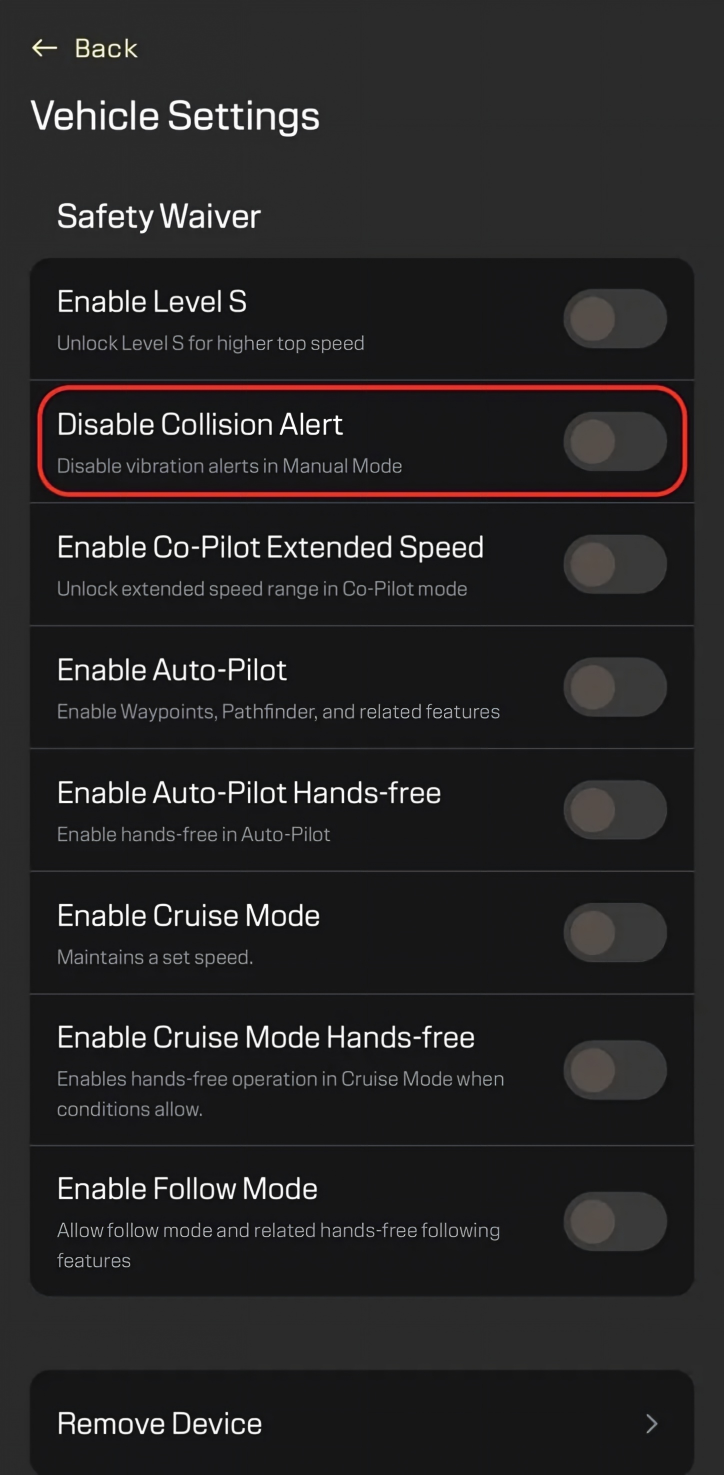
- Open the Strutt app, tap Settings in the top-right corner, then select Safety Waiver.
- Tap the toggle next to the waiver. Read the agreement and scroll to the end, then select I Agree to All if you agree to its terms.
¶ Enable Co-Pilot Extended Speed
Accept this waiver to unlock Speed Level 4 and Speed Level S in Co-pilot Mode.
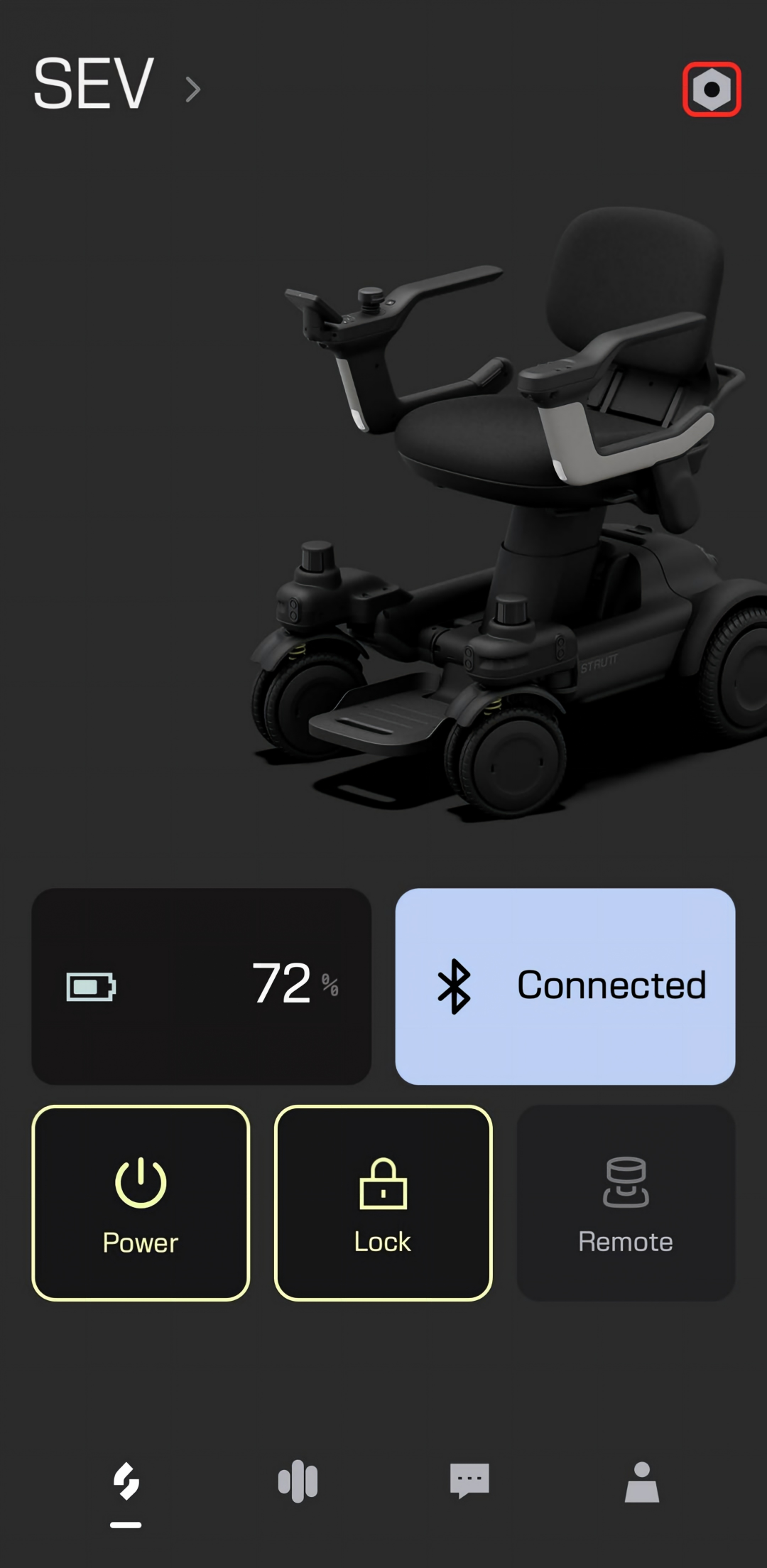
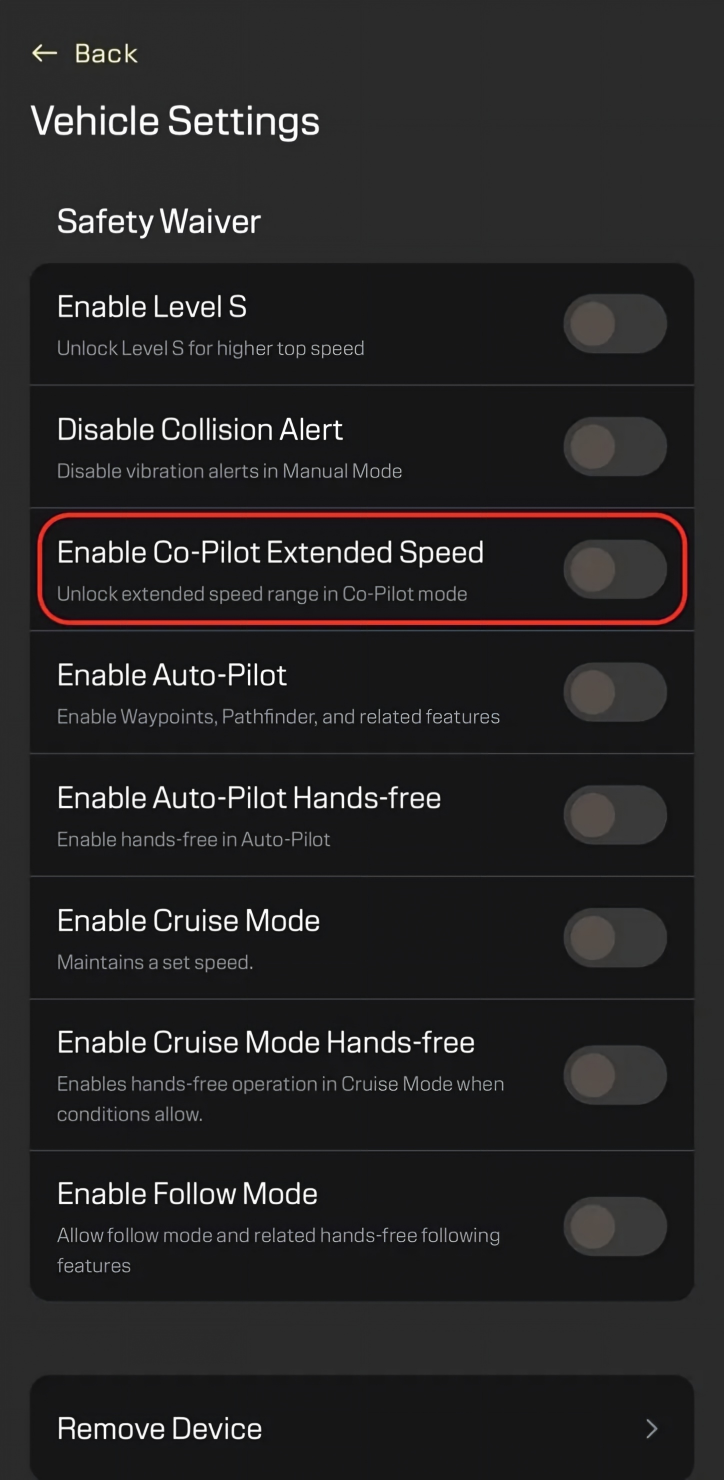
- Open the Strutt app, tap Settings in the top-right corner, then select Safety Waiver.
- Tap the toggle next to the waiver. Read the agreement and scroll to the end, then select I Agree to All if you agree to its terms.
¶ Enable Auto-Pilot
Accept this waiver to access Waypoints Mode and Pathfinder Mode, which allow you to send the vehicle to a destination.
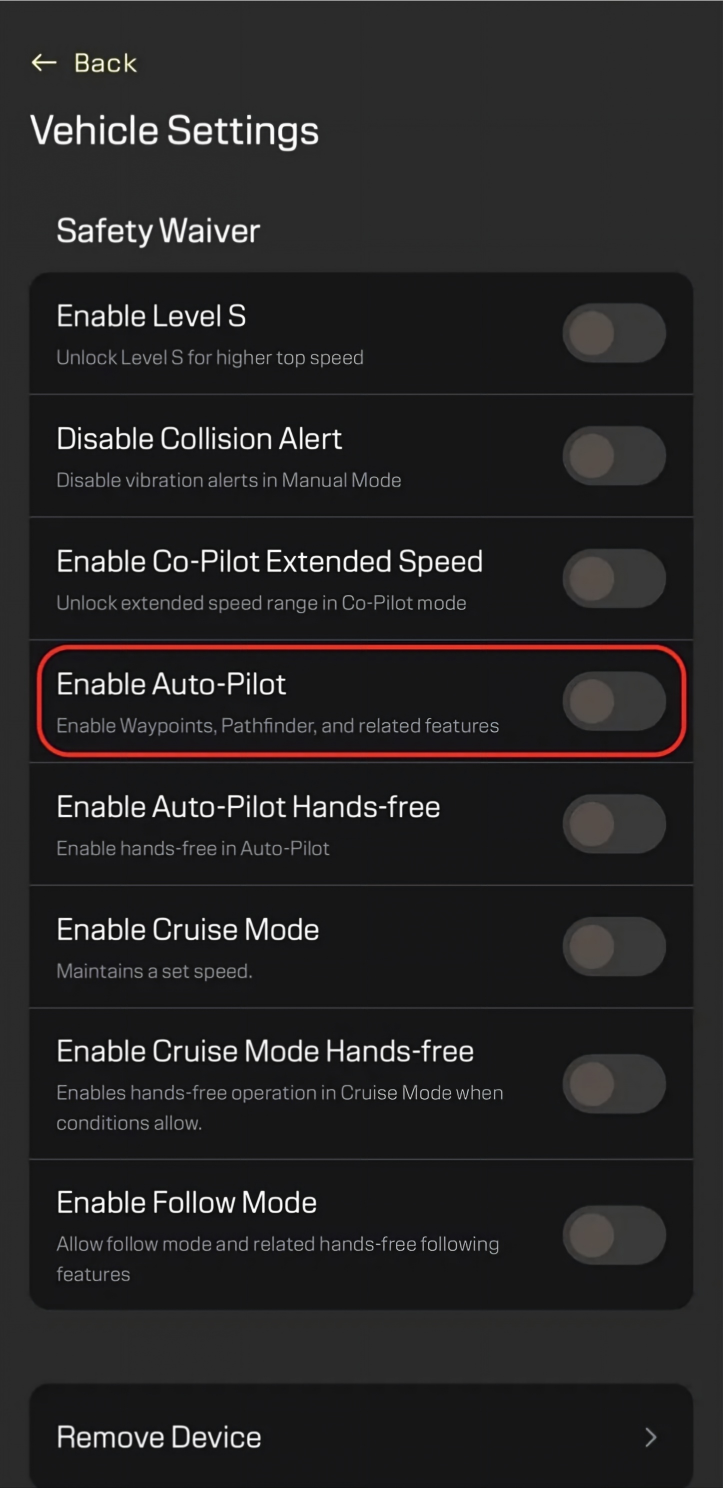
- Open the Strutt app, tap Settings in the top-right corner, then select Safety Waiver.
- Tap the toggle next to the waiver. Read the agreement and scroll to the end, then select I Agree to All if you agree to its terms.
- On the vehicle, go to Settings → evSense → Auto-Pilot and turn it on
¶ Enable Auto-Pilot Hands-free
Accept this waiver to use Waypoints Mode and Pathfinder Mode without holding the joystick. Stay alert and be ready to take control at any time.
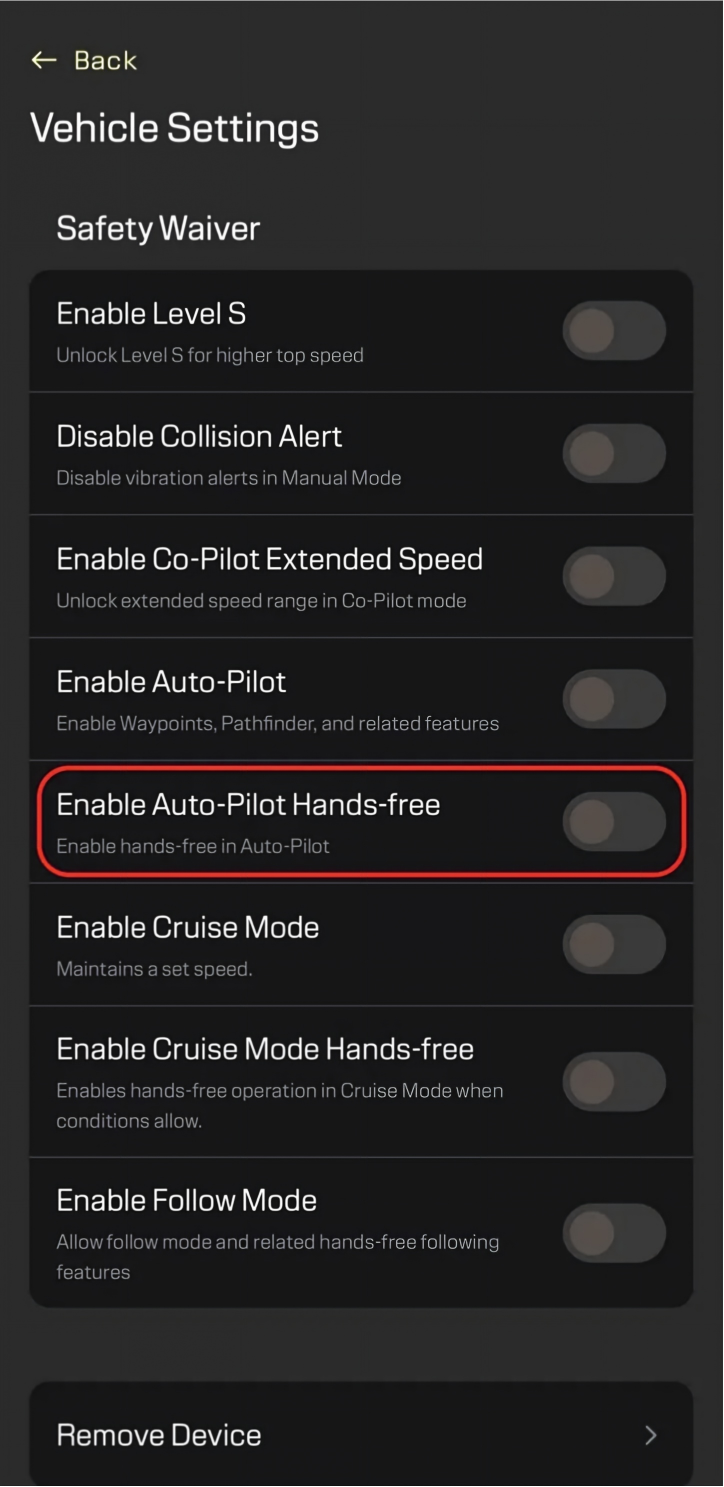
- Open the Strutt app, tap Settings in the top-right corner, then select Safety Waiver.
- Tap the toggle next to the waiver. Read the agreement and scroll to the end, then select I Agree to All if you agree to its terms.
- On the vehicle, go to Settings → evSense → Auto-Pilot Hands-free and turn it on
¶ Join Open Beta Program
Accept this agreement to join the Open Beta Program for access to Cruise Mode, Cruise Mode Hands-free and Follow Mode. Each feature requires you to read and accept its relevant waiver before use.
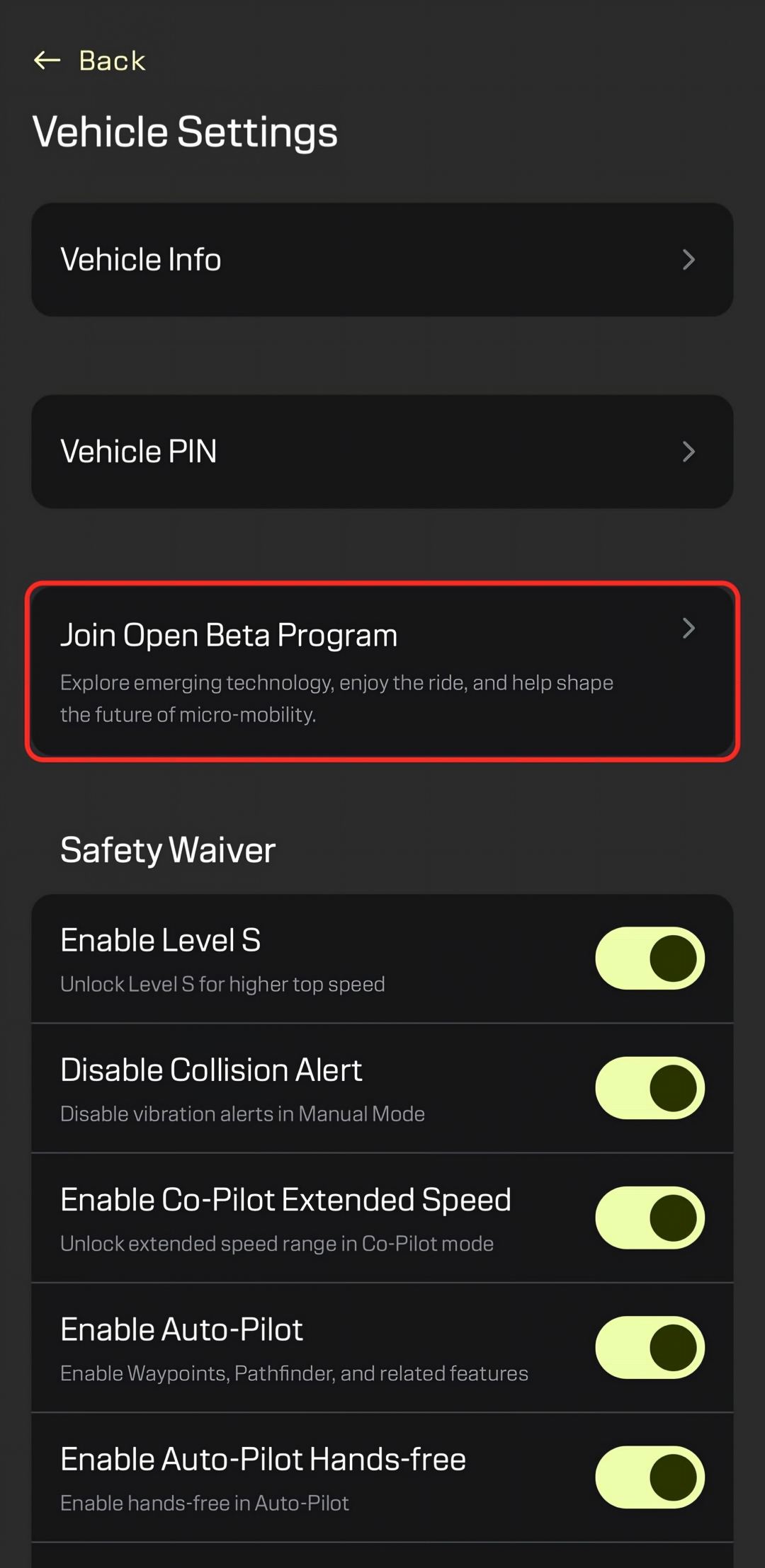
- Open the Strutt app, tap Settings in the top-right corner, then select Safety Waiver.
- Tap on Join Open Beta Program and register your interest.
Note
For ev¹c users, email beta@strutt.inc to request access to the Open Beta Program waiver.
¶ Enable Cruise Mode
Accept this waiver to access Cruise Mode, which maintains a set driving speed. Available to Open Beta Program users.
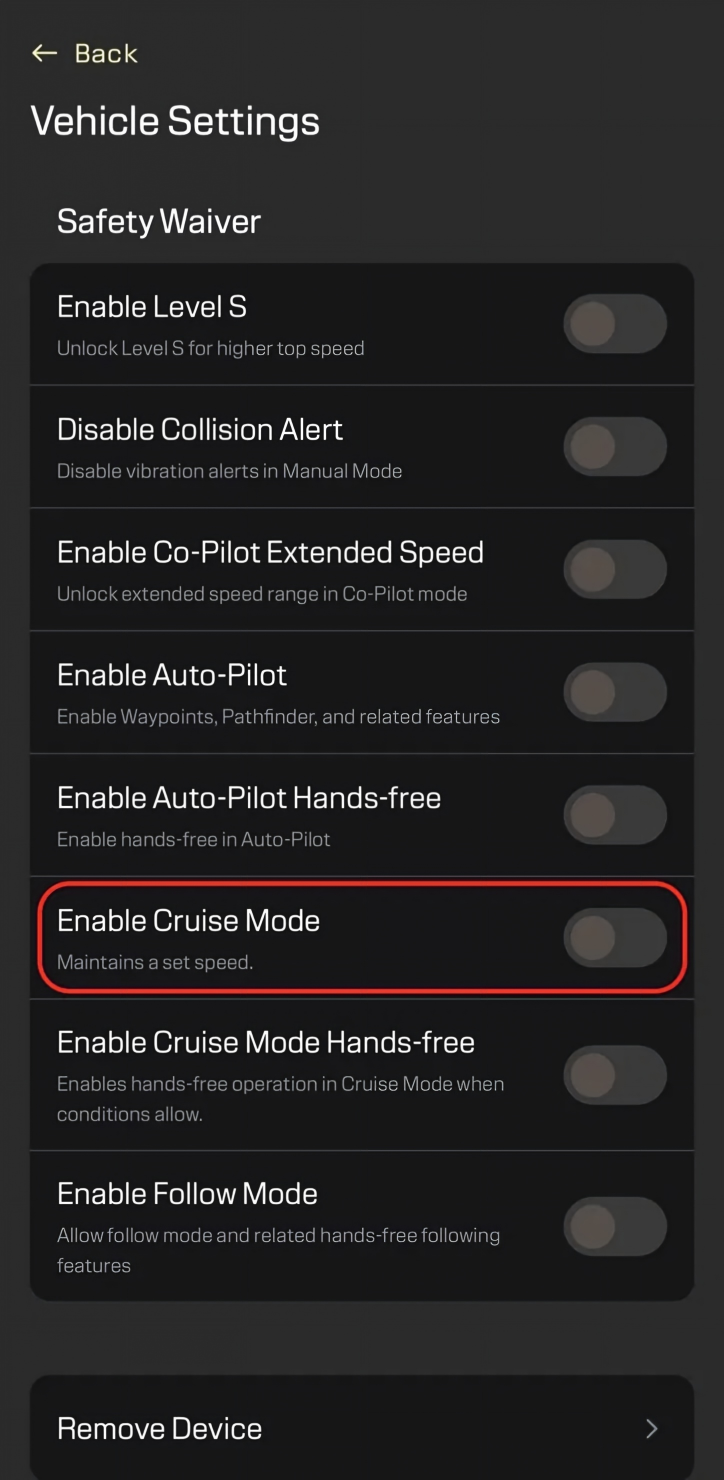
- Open the Strutt app, tap Settings in the top-right corner, then select Safety Waiver.
- Tap the toggle next to the waiver. Read the agreement and scroll to the end, then select I Agree to All if you agree to its terms.
¶ Enable Cruise Mode Hands-free
Accept this waiver to use Cruise Mode without holding the joystick. Stay alert and be ready to take control at any time. Available to Open Beta Program users.
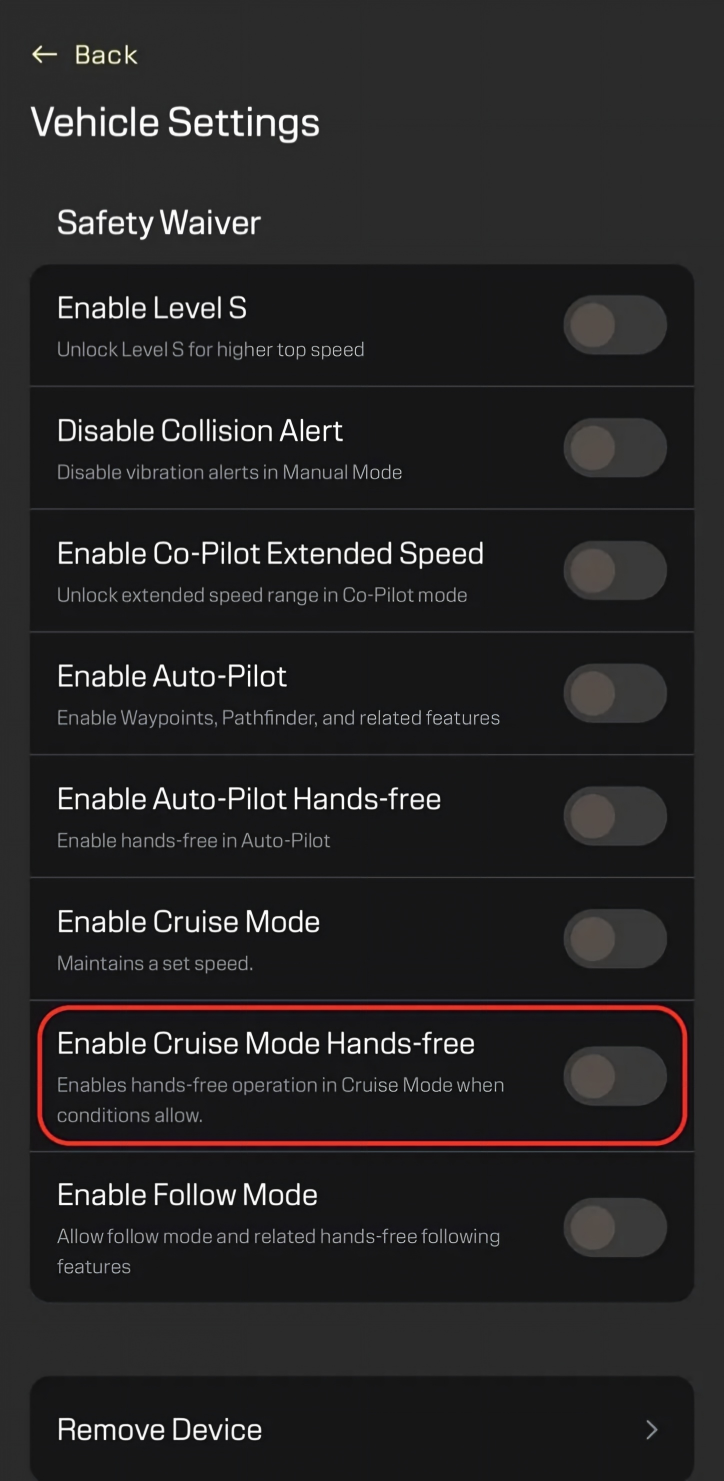
- Open the Strutt app, tap Settings in the top-right corner, then select Safety Waiver.
- Tap the toggle next to the waiver. Read the agreement and scroll to the end, then select I Agree to All if you agree to its terms.
- On the vehicle, go to Settings → Vehicle Mode → Cruise Mode → Cruise Mode Hands-free and turn it on
¶ Enable Follow Mode
Accept this waiver to access Follow Mode. Available to Open Beta Program users.
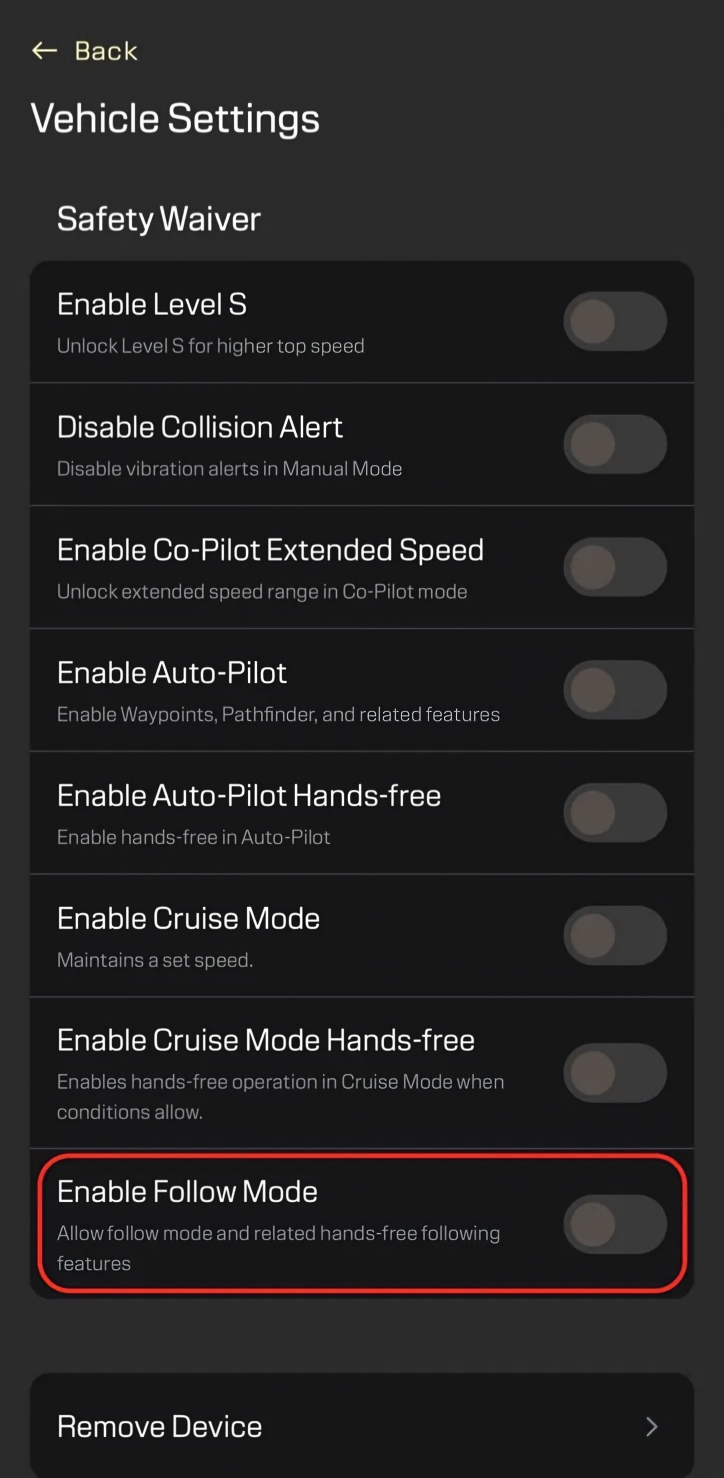
- Open the Strutt app, tap Settings in the top-right corner, then select Safety Waiver.
- Tap the toggle next to the waiver. Read the agreement and scroll to the end, then select I Agree to All if you agree to its terms.