Connect your vehicle to Wi-Fi to download vehicle software updates, use the AI voice assistant, and access other online features.
This guide explains how to connect to a network, add one manually, disconnect, and remove a saved network.
¶ Before You Start
- Make sure a nearby Wi-Fi network with working internet access is available.
- Have the network password ready, if required.
- Stay within range of the network while connecting.
- Use a trusted network. Networks without a password may not be secure.
- Check the network security type, check that the Wi-Fi network uses WPA2.
¶ Turn On Wi-Fi
On the vehicle:
- Open Settings.
- Go to Connections → Wi-Fi.
- Turn on Wi-Fi.
The screen shows a list of available networks.
¶ Connect to a Network
- Select the network you want to connect to.
- Enter its password.
- Tap Join.
Passwords are case-sensitive. Check uppercase and lowercase letters carefully.
If you select a network without a password, a Security Warning appears:
“This network doesn’t require a password and may not be secure. Continue?”
¶ Add a Network Manually
If your network does not appear in the list:
- Go to Settings → Connections → Wi-Fi.
- Scroll to the bottom and tap Other.
- On Create Network Connection, enter the network name in Name.
- Enter the network password in Password, if required.
- Tap Join.
Check that the network name and password are entered correctly.
¶ Disconnect or Forget a Network
Open Settings → Connections → Wi-Fi, then tap a saved network.
Choose the option that matches what you want to do:
| Option | What happens |
|---|---|
| Disconnect | Disconnects from the network but keeps it saved. You will not need to enter its password the next time you connect. |
| Forget Network | Disconnects and removes the saved network. If the network requires a password, you will need to enter it again when reconnecting. |
¶ Understand the Display and Messages
| Situation | What the screen shows |
|---|---|
| Wi-Fi is connected | 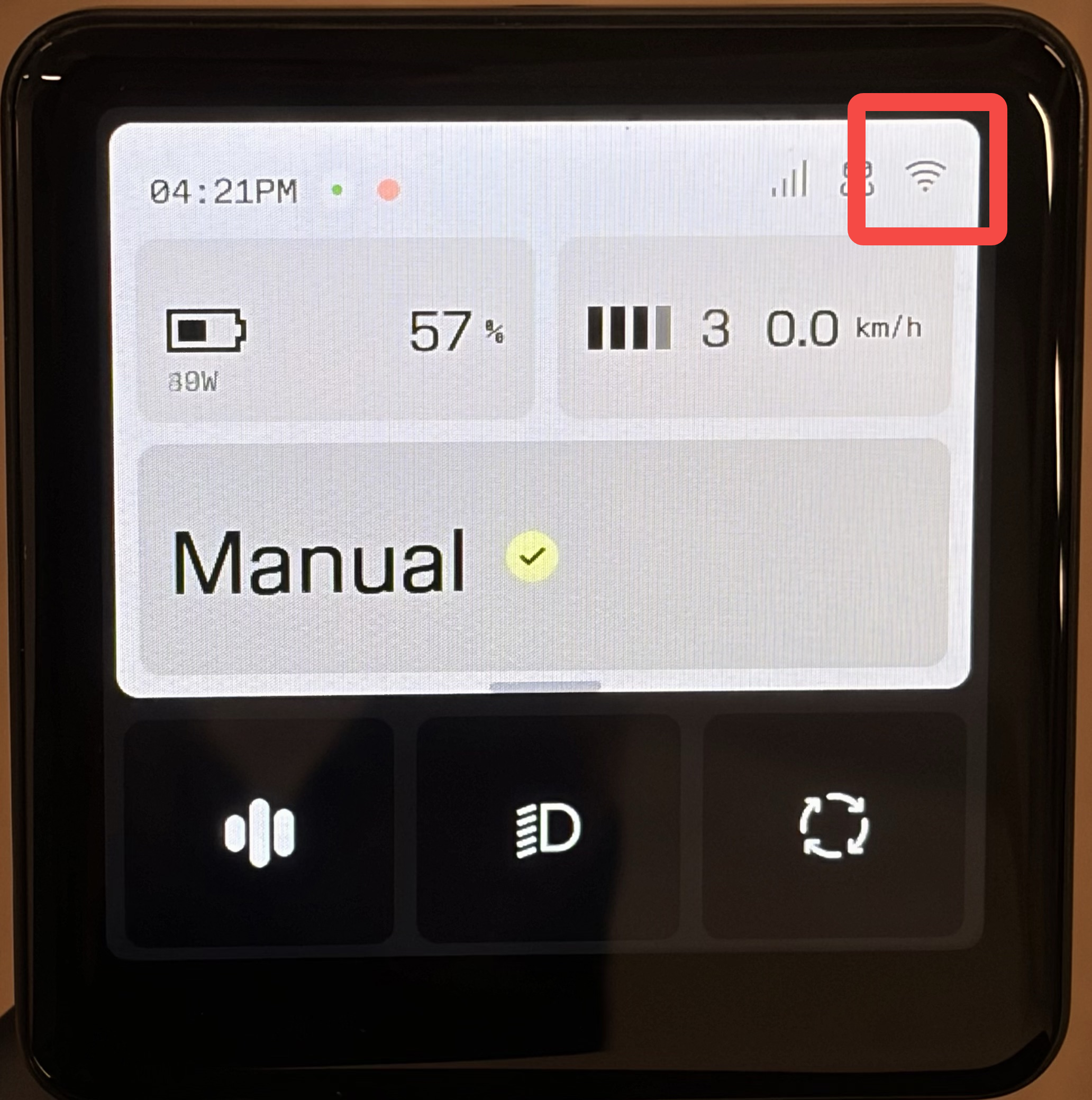 |
| Wi-Fi is disconnected | 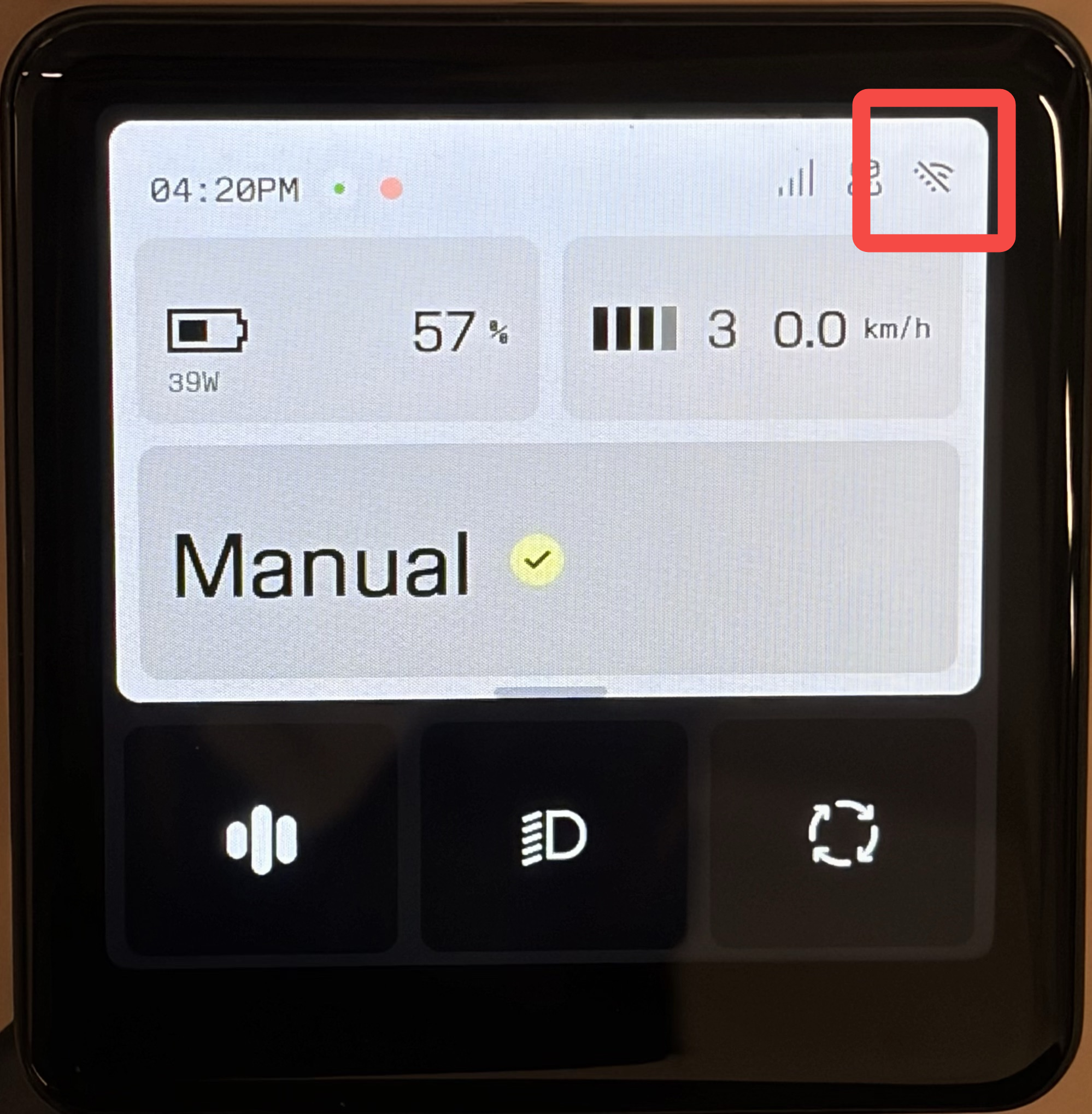 |
| Adding a network manually | Create Network Connection, with Name and Password fields |
| The password is incorrect | “Incorrect Password” |
| The network cannot be found | “Network Not Found” |
| The connection attempt times out | “Timed out” |
| Connecting to a network without a password | “Security Warning” — “This network doesn’t require a password and may not be secure. Continue?” |
¶ How Wi-Fi Supports Other Features
| Feature | Relationship to Wi-Fi |
|---|---|
| Vehicle software updates | Provides internet access to download updates. Use a stable connection. |
| AI voice assistant | Provides internet access for online voice features. |
| Saved networks | Disconnecting keeps a network saved; forgetting removes it. |
¶ Connection and Security Tips
- Stay within range of the Wi-Fi network while connecting.
- Enter the network name and password correctly. Passwords are case-sensitive.
- A Wi-Fi connection must have working internet access for online features to work.
- Use a trusted network. A network without a password may not be secure.
- Use a stable internet connection when downloading vehicle software updates.
¶ Frequently Asked Questions
¶ What if my network does not appear in the list?
Scroll to the bottom of the Wi-Fi network list and tap Other. Enter the network name and password, if required, then tap Join. Please also check if your Wi-Fi networks uses WPA2 or WPA3. Currently the vehicle is not able to connect with Wi-Fi networks that use WPA3, please configure your network to WPA2 if required.
¶ What if the screen shows “Incorrect Password”?
Check the password, including uppercase and lowercase letters, then try again.
¶ What is the difference between Disconnect and Forget Network?
Disconnect keeps the network saved, so you do not need to re-enter its password next time.
Forget Network removes the saved network. You will need to enter its password again if one is required.
¶ Why are online features unavailable even though Wi-Fi is connected?
Check that the Wi-Fi network has working internet access. Connecting to Wi-Fi alone does not guarantee an internet connection.
¶ Why does a Security Warning appear?
The selected network does not require a password and may not be secure. Use a trusted network.