Important Notice
Make all ergonomic adjustments while the device is stationary and free of unstable loads. Relock every mechanism and confirm stability and comfort with a stationary seating check.
¶ 1) Seat Height Adjustment
- Park the device and remove the occupant's load from the seat.
- Locate the seat-height adjustment and locking points shown in the video.
- Support the seat before releasing the lock to prevent a sudden drop.
- Move the seat to the appropriate height level.
- Relock it and verify that both sides match and the seat does not wobble.
¶ 2) Backrest Height Adjustment
- Locate the backrest-height lock.
- Support the backrest and release the lock.
- Move it to the appropriate height.
- Relock it and push gently forward and backward to verify security.
¶ 3) Seat Width Adjustment
- Locate the left and right width-adjustment points.
- Release them in the sequence shown.
- Set both sides to the same level unless a specific configuration requires otherwise.
- Secure both sides and confirm that the seat width is symmetrical.
¶ 4) Armrest Height Adjustment
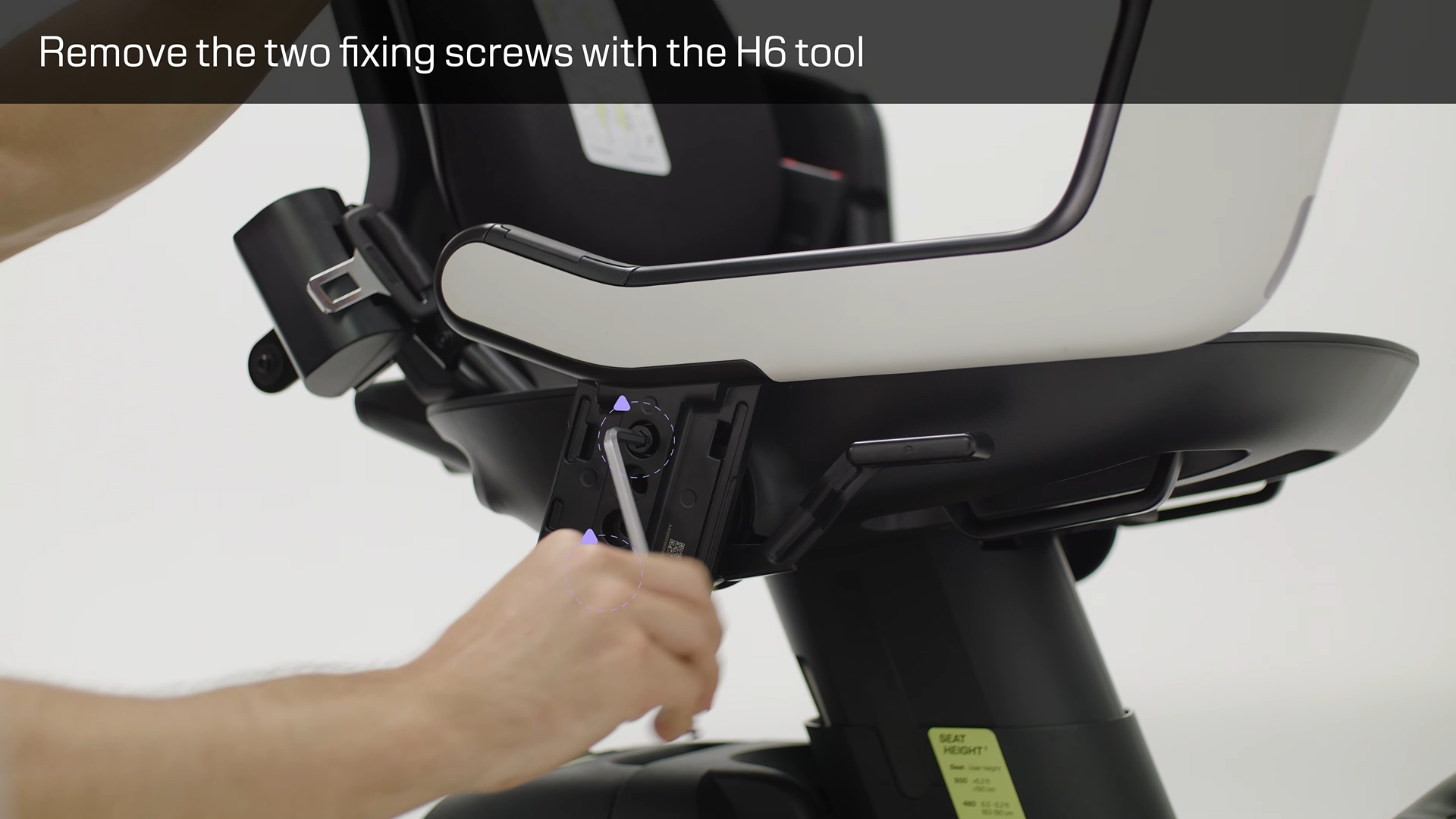
- Support the armrest before releasing its height lock.
- Set it so the shoulders remain relaxed and the arm rests comfortably.
- Match both sides unless the user needs an asymmetric setup.
- Relock and verify that the armrest cannot slip.
¶ End Notes
After adjustment, perform a stationary seating check. Confirm comfortable positions for the foot support, seat, backrest, armrests, joystick, and seat belt before a low-speed test.
¶ 5) Backrest Adjustment
Important Notice
Power off the device, remove the occupant, and work on a level surface before starting. Adjust only the upper fastener on each side, as shown in the video; do not disturb the lower fasteners. Select the same numbered position on both sides, protect the left-side cable, and keep all removed screws and covers for reassembly.
¶ Tools, Accessories, and Materials
- H3 hex key (3 mm Allen key).
- Small parts tray or container for the removed cover screws (recommended).
- No additional accessories or consumable materials are required.
¶ 1. Remove the Backrest
- Stand behind the device and support the backrest with both hands.
- Lift the backrest upward and remove it from its mounting points.
- Place it on a clean, stable surface.
Note: Keep the backrest supported while lifting so it does not fall or strike the control module.
¶ 2. Remove the Seat Cushion
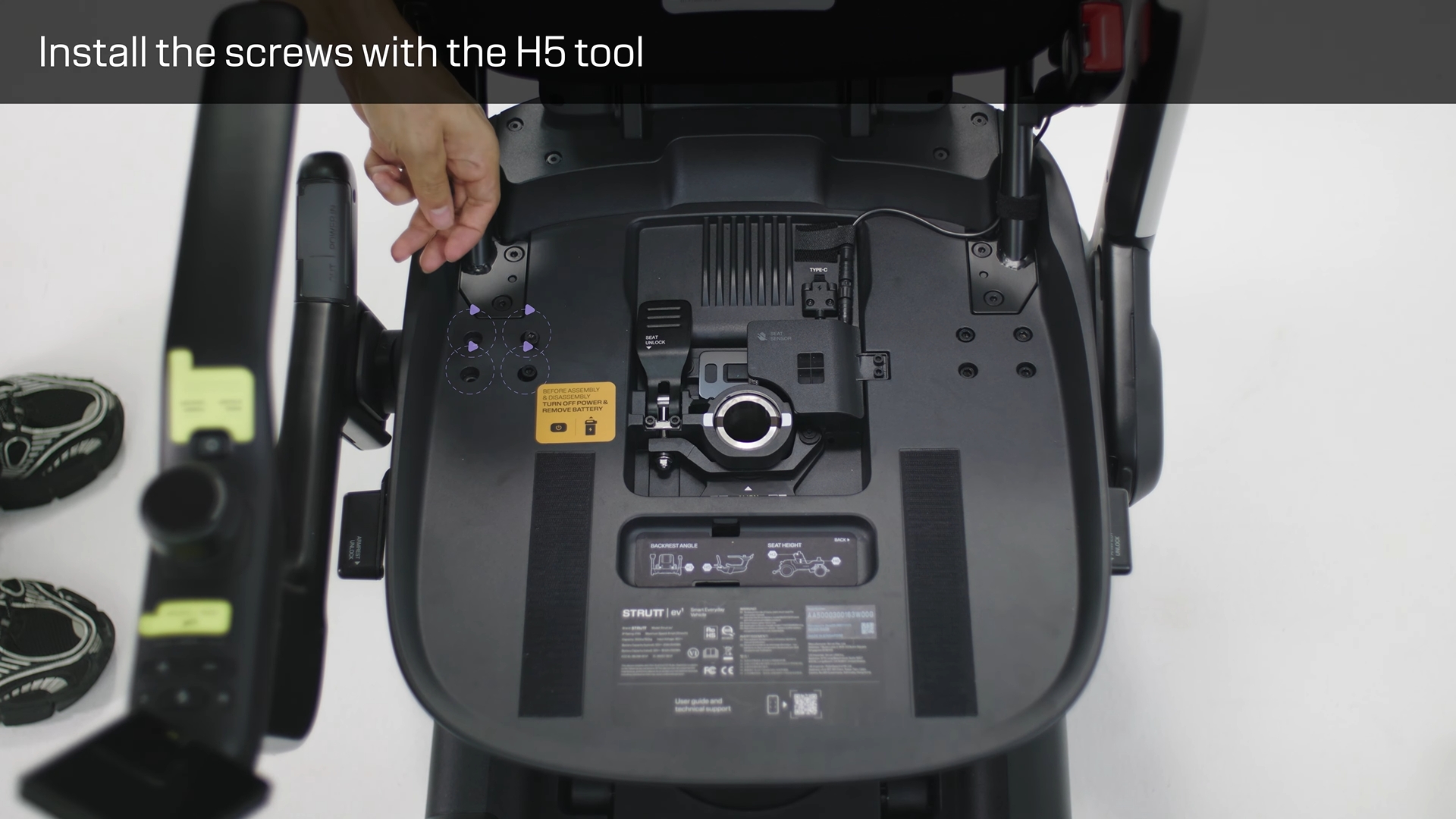
- Lift the seat cushion away from the seat base.
- Set it aside to expose the left and right access covers behind the seat.
Warning: Do not place tools or loose hardware on the exposed seat base.
¶ 3. Remove the Right Access Cove
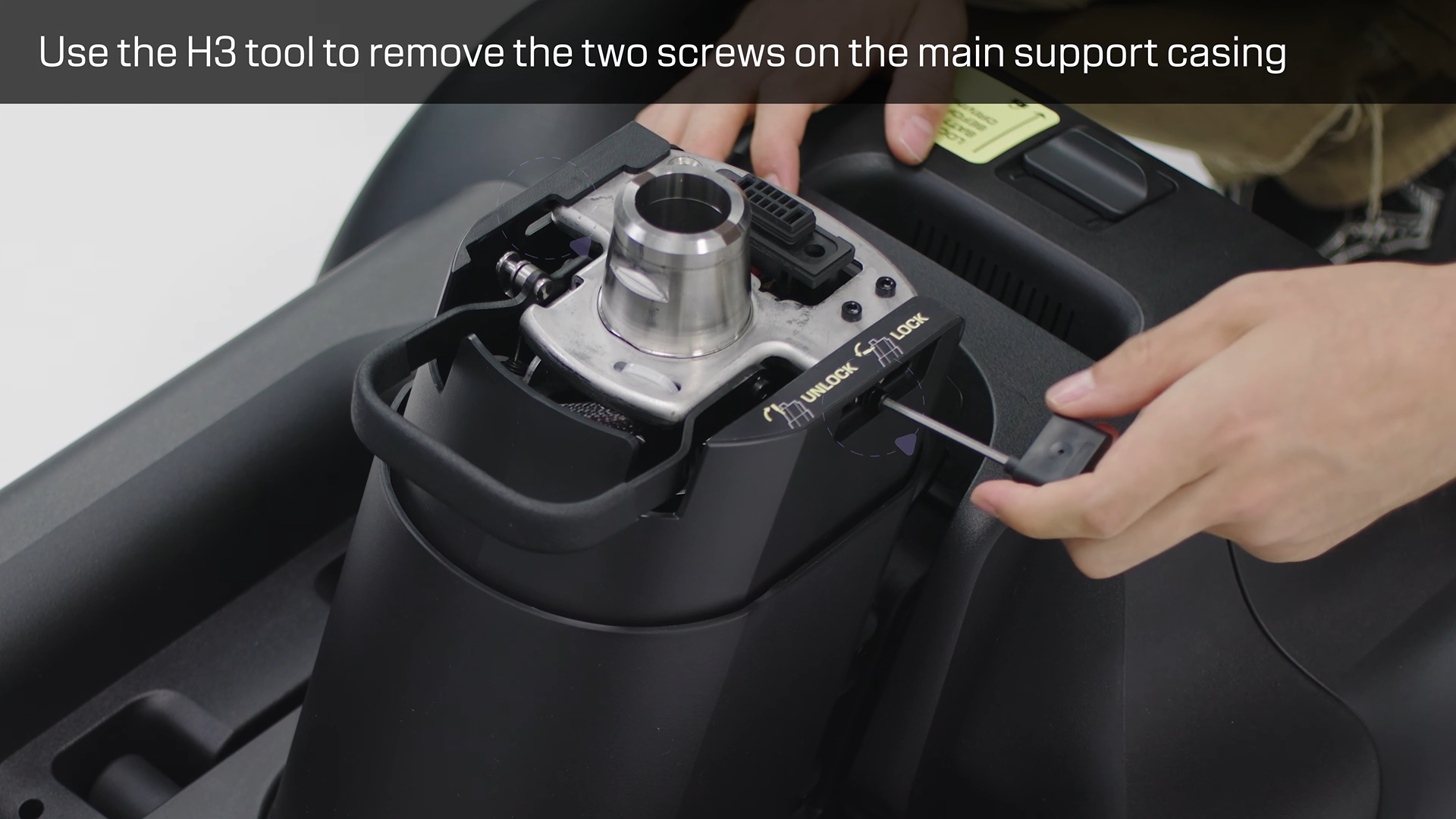
- Locate the retaining screw on the right access cover.
- Remove the screw with the H3 hex key.
- Lift out the access cover and store the screw safely.
Note: Each removed cover and screw must be retained for reassembly.
¶ 4. Loosen the Right Upper Adjustment Fastener
- Identify the two fasteners visible inside the right opening.
- Work only on the upper fastener.
- Insert the short end of the H3 hex key into the upper fastener and loosen it.
Warning: Do not loosen or remove the lower fastener.
¶ 5. Open the Left Side and Loosen the Upper Fastener
- Remove the left access cover in the same manner.
- Gently move the cable aside only as much as needed for tool access.
- Use the short or long end of the H3 hex key to loosen the left upper fastener.
- When the fastener is loose enough, finish turning it carefully with your fingers if needed.
Warning: Do not pull, pinch, twist, or trap the cable.
¶ 6. Select the Backrest Angle
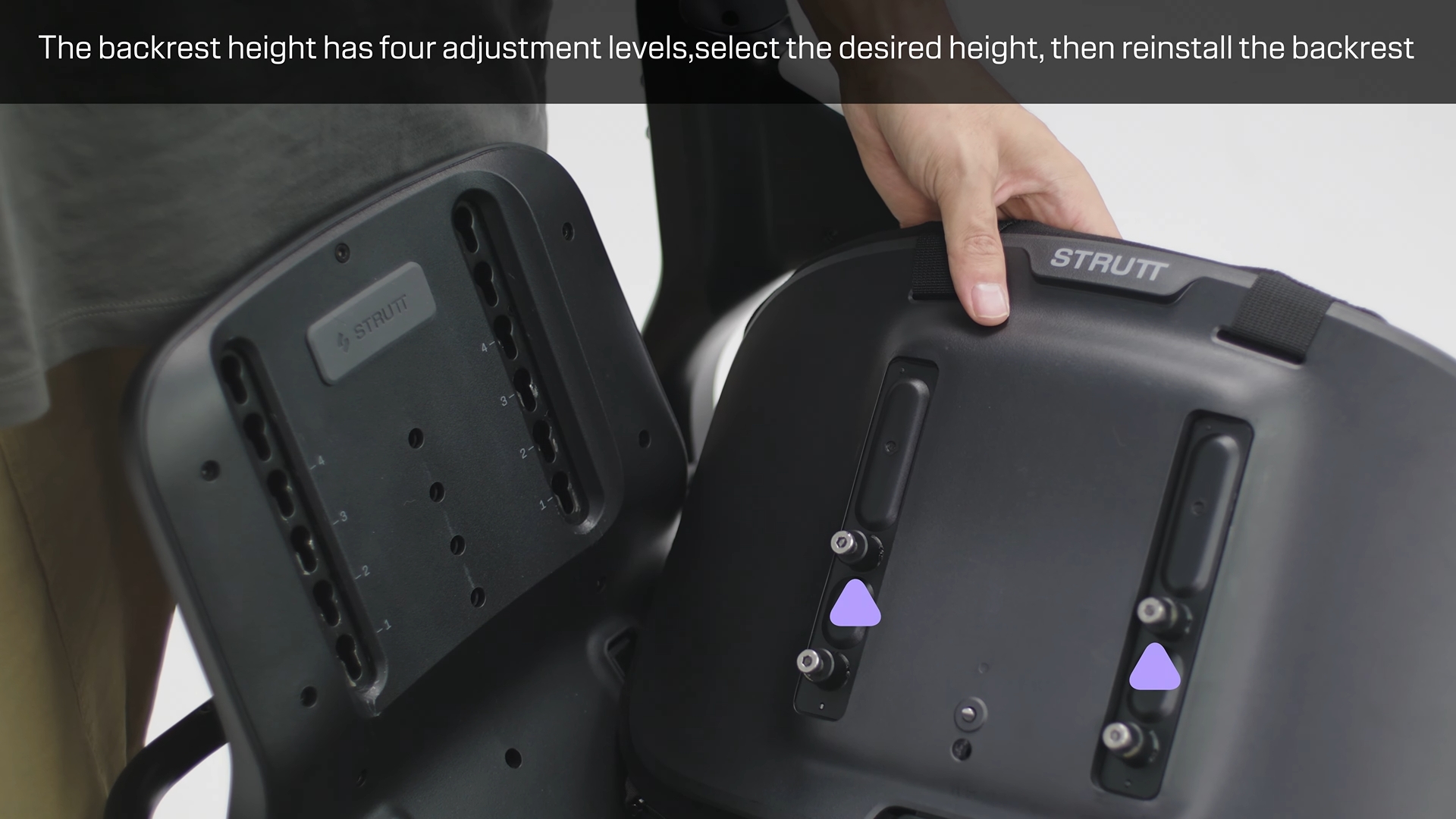
- Locate the numbered positions 1, 2, and 3 on both adjustment plates.
- Move the left and right brackets to the same numbered position for the desired backrest angle.
- Confirm that both sides are fully seated at the selected position.
Warning: Never use different numbered positions on the left and right sides.
¶ 7. Tighten, Reassemble, and Check
- Tighten both upper adjustment fasteners securely and evenly.
- Return the left-side cable to a clear, natural route.
- Reinstall both access covers and their retaining screws.
- Reinstall the seat cushion and backrest.
- Push and pull the backrest gently to confirm that there is no looseness or asymmetric movement.
Note: Stop and contact Strutt technical support if the brackets do not align, a fastener will not tighten, or the cable or any component appears damaged.
¶ End Notes
Positions 1–3 provide the available backrest-angle settings. Both sides must always use the same position. Before use, complete a stationary seating check and confirm that the backrest is secure, the seat cushion is fully seated, both covers are installed, and the left-side cable moves freely without interference.