Learn how to select a charging method, connect the charger and interpret its light indicators.
Product: Strutt ev¹/ev¹c
Last verified: October 2026
Video source: Strutt Official YouTube Channel
Watch the battery-charging video
View the complete visual guide
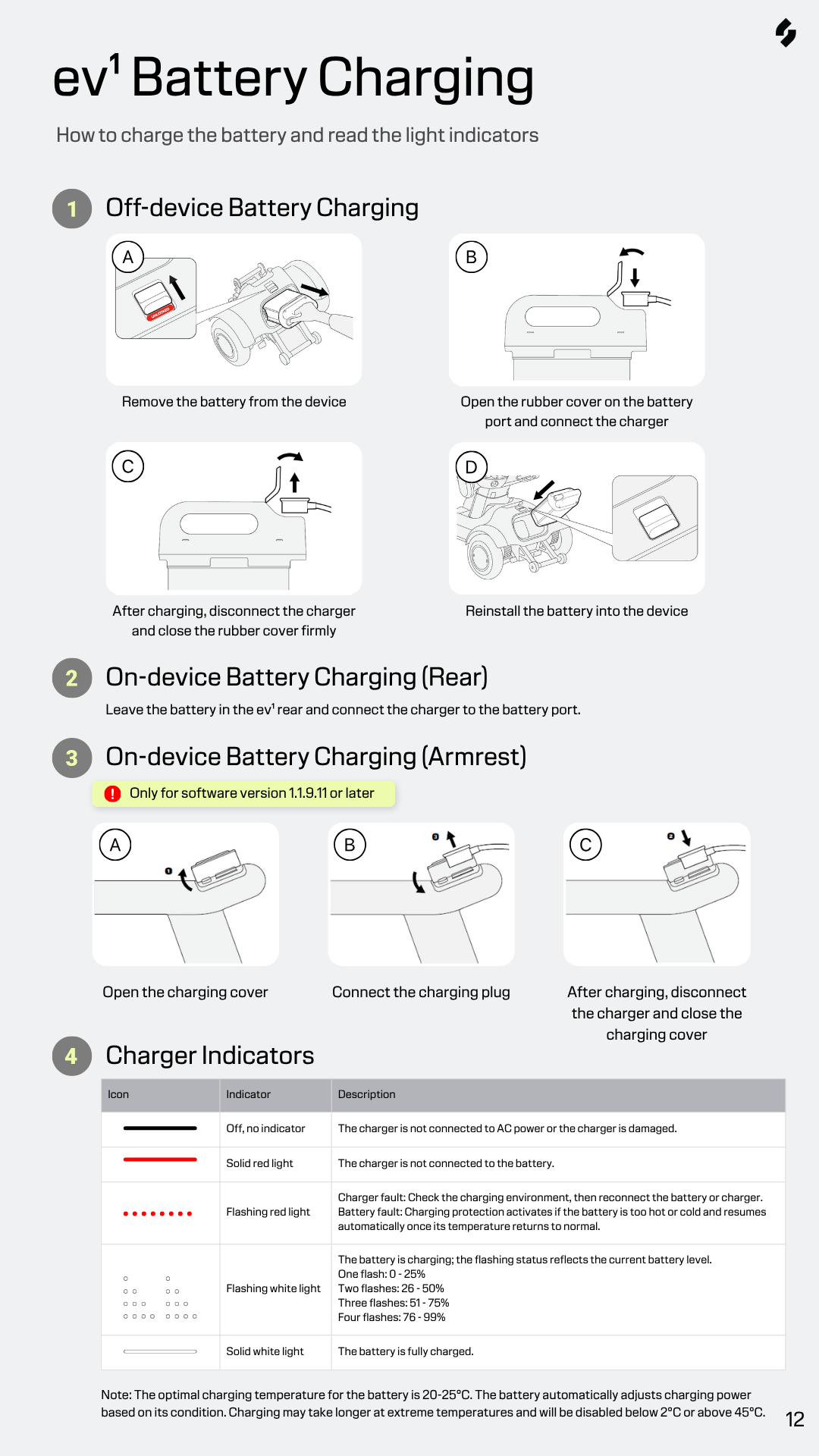
¶ Charging Methods
| Method | Recommended use | Important information |
|---|---|---|
| Off-device charging | Charging a battery separately from the vehicle | Remove the battery and place it on a stable, dry surface. |
| Rear-port charging | Charging without removing the battery | Connect the charger directly to the installed battery’s rear charging port. |
| Armrest-port charging | Convenient everyday charging | Requires software version 1.1.9.11 or later. |
Important Safety Notice
Use only an officially compatible charger. Before charging, inspect the charger, cable, plug, battery and charging port for damage, moisture or debris.
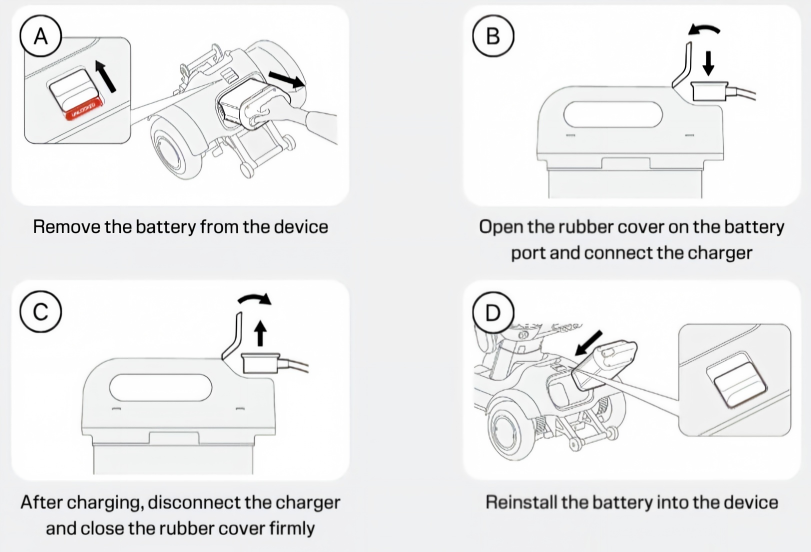
¶ 1) Off-device battery charging
- Park the vehicle safely and power it off.
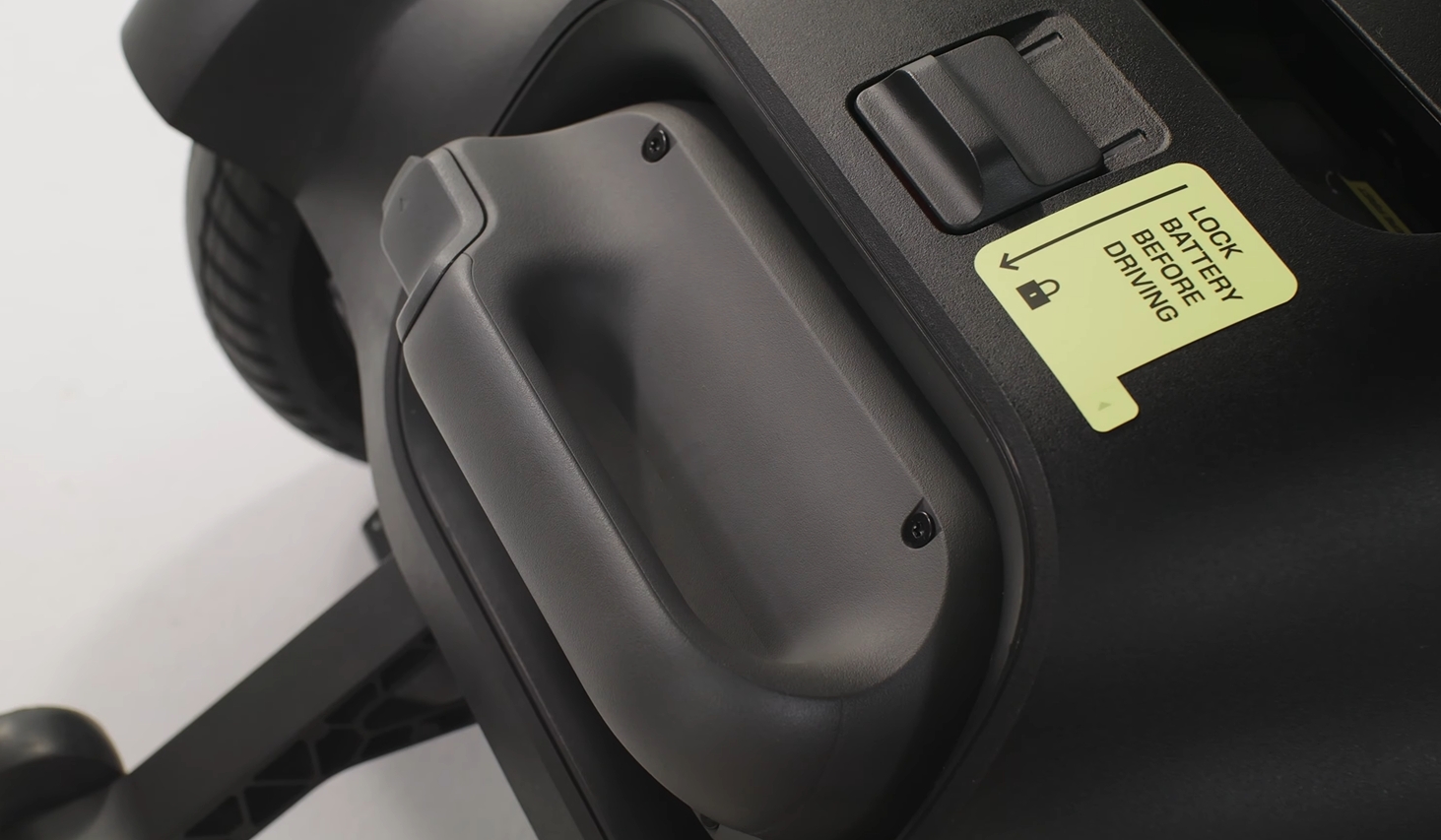
- Release and remove the battery using its intended gripping points. Do not touch the terminals.
- Place the battery on a stable, dry and ventilated surface.
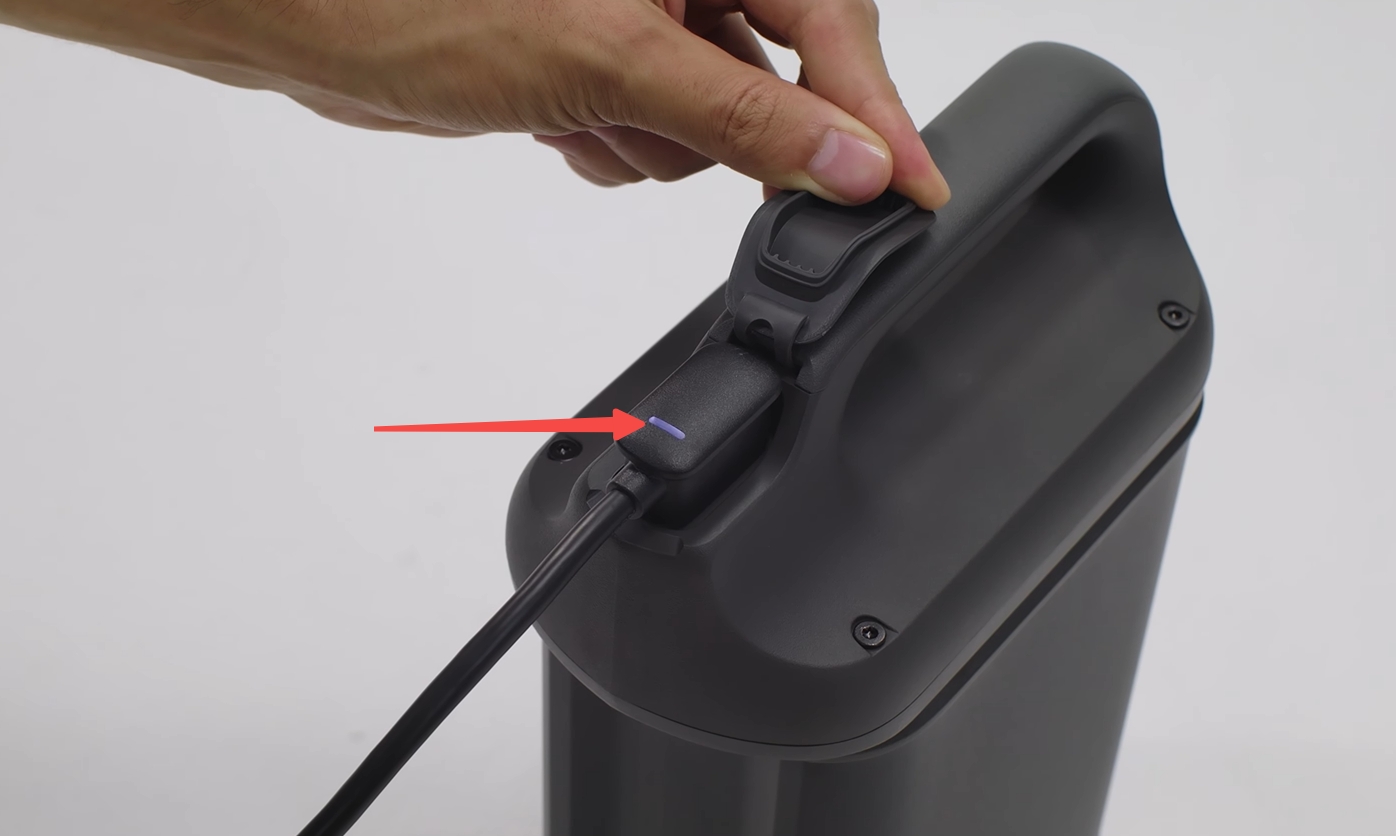
- Open the rubber cover on the battery’s charging port and connect the charger.
- Confirm that the charger displays the expected charging indication.
- When charging is complete, disconnect the charger and close the rubber cover firmly.
- Reinstall the battery and confirm that it is securely locked.
¶ 2) On-device charging using the rear port
- Park the vehicle safely and power it off.
- Leave the battery installed in the rear of the vehicle.
- Open the battery-port cover and connect the charger.
- Check that the charging indicator is operating normally.
- After charging, disconnect the charger and close the port cover firmly.
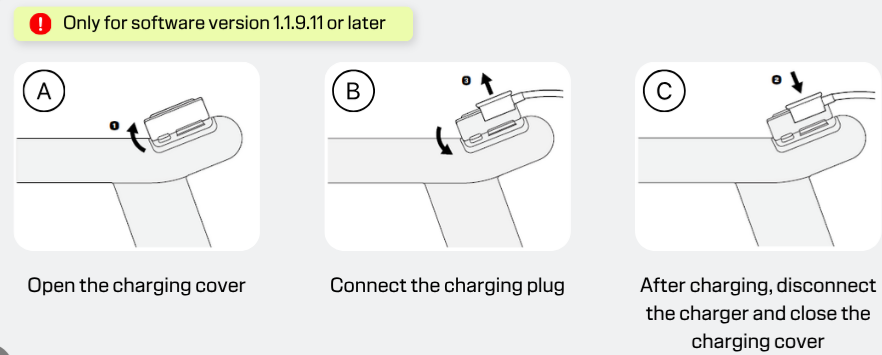
¶ 3) On-device charging using the armrest port
Compatibility: Armrest-port charging requires software version 1.1.9.11 or later.
- Park the vehicle safely. Powering it off is recommended for faster charging.
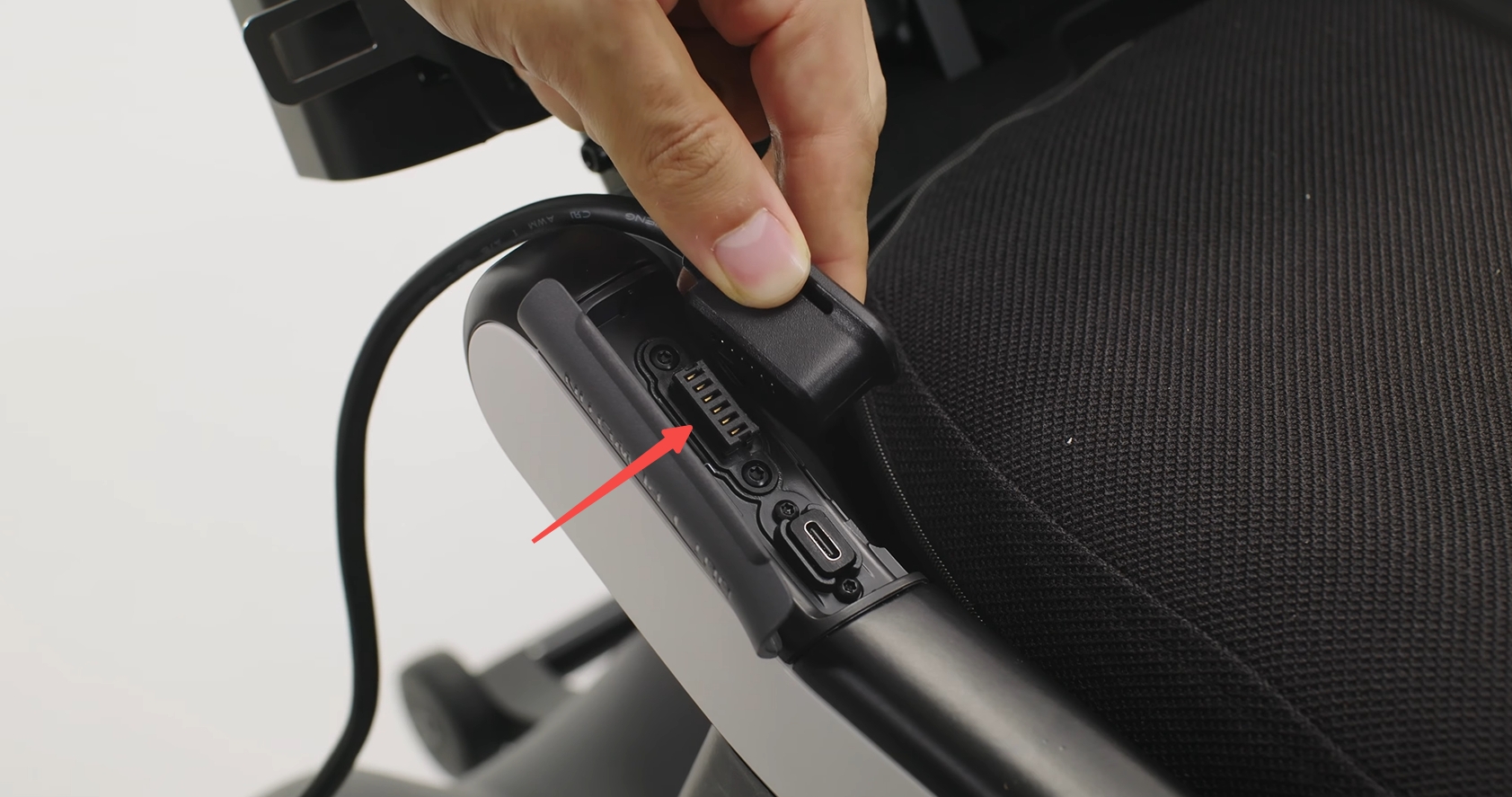
- Open the charging-port cover on the armrest.
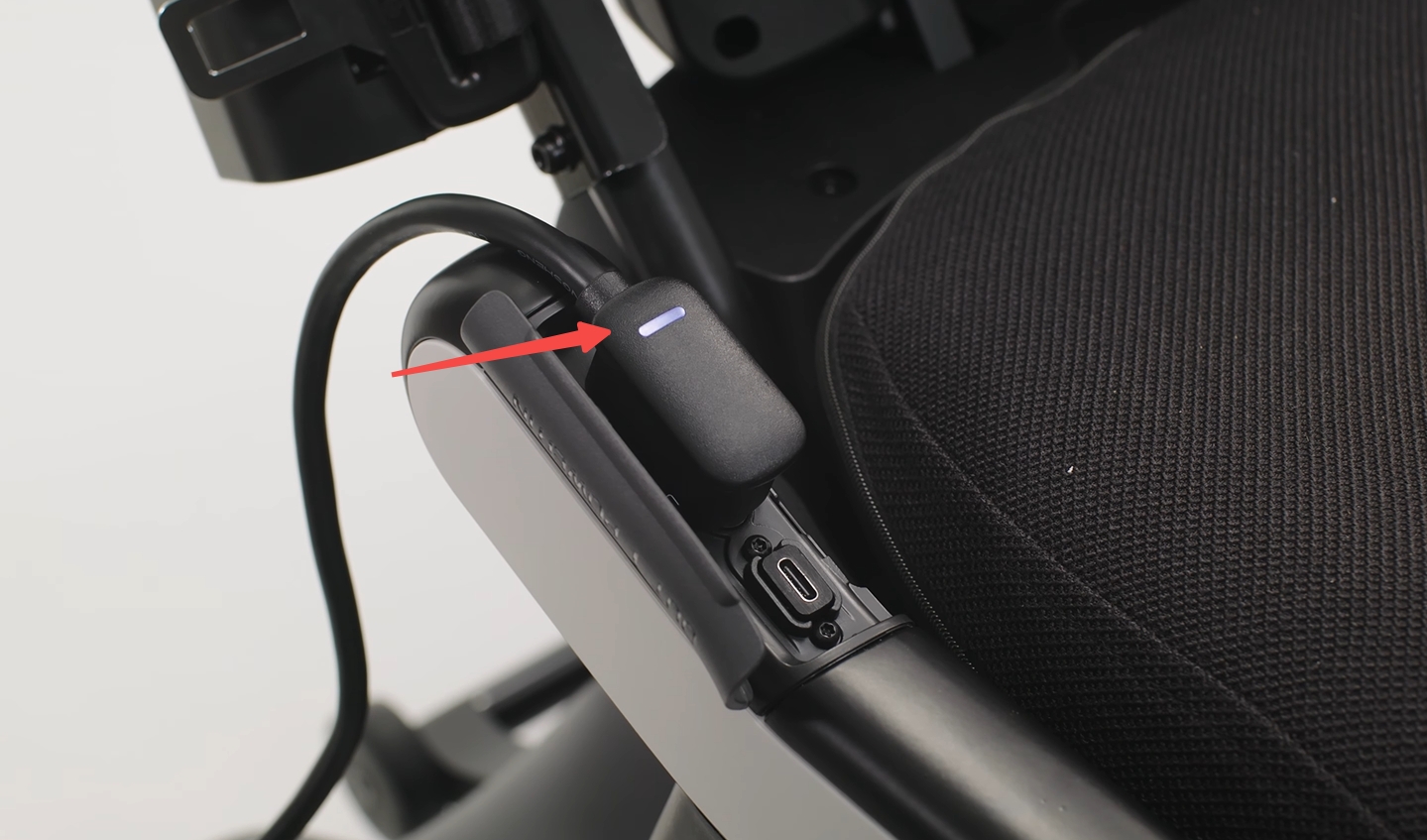
- Insert the charging plug securely.
- Check that the charging indicator is operating normally.
- After charging, disconnect the charger and close the charging-port cover.
¶ Understanding the charger indicators
| Indicator | Meaning | What to do |
|---|---|---|
| No light | The charger is not receiving AC power, or the charger may be damaged. | Check the power outlet and charger connection. Stop using the charger if it appears damaged. |
| Solid red | The charger is receiving power but is not connected to the battery. | Check the connection between the charger and battery. |
| Flashing red | A charging fault or battery-protection condition has been detected. | Check the connections and charging environment. If the battery is too hot or cold, charging will resume when its temperature returns to the permitted range. |
| One white flash | Battery level is approximately 0–25%. | Charging normally. |
| Two white flashes | Battery level is approximately 26–50%. | Charging normally. |
| Three white flashes | Battery level is approximately 51–75%. | Charging normally. |
| Four white flashes | Battery level is approximately 76–99%. | Charging normally. |
| Solid white | The battery is fully charged. | Disconnect the charger when convenient. |
The charger indicator provides an approximate charging status. For the most accurate battery level, refer to the vehicle’s display after the battery is installed.
¶ Charging times and additional information
¶ Approximate charging times
| Battery type | 0–80% | 0–100% |
|---|---|---|
| Long-range battery | Approximately 2 hours | Approximately 4 hours |
| Flight-safe battery | Approximately 1.2 hours | Approximately 1.8 hours |
Actual charging time may vary depending on battery temperature, condition and power consumption.
¶ Charging while the vehicle is powered on
The battery can take longer to charge while the vehicle is powered on because the vehicle continues to consume energy. After reaching a full charge, the displayed level may temporarily fall below 100%, or charging may restart to top up the battery. This is normal.
¶ Charging in hot or cold conditions
The battery automatically adjusts its charging power according to its temperature and condition. Charging may take longer near the limits of the permitted temperature range and is disabled below 2°C (36°F) or above 45°C (113°F).
¶ When to stop charging
Disconnect the charger and contact Customer Support if:
- The charger, cable, plug, battery or charging port is damaged.
- You notice moisture, debris, an unusual smell or excessive heat.
- A warning remains after the battery and charger have returned to a suitable temperature.
- The charger repeatedly displays a fault after all connections have been checked.
¶ Additional guidance
Always follow the battery label and the latest official User Manual for model-specific charging conditions, maintenance instructions and air-travel restrictions.