Product: Strutt ev¹/ev¹c
Last verified: October 2026
Video source: Strutt Official YouTube Channel
Learn how to get in and out of your vehicle safely, master the basic controls and choose the right driving mode.
Note: We are constantly improving the experience for our users, and the user interface on the vehicle display shown in the YouTube video may slightly differ.
¶ Entry and Ride Preparation
¶ Before You Start
- Park on a level surface and make sure the vehicle cannot move before entering or exiting.
- To prevent unexpected movement from accidentally bumping the joystick, either:
- Power off the vehicle or
- Lock the joystick first. To lock it, press the Strutt button on the armrest, scroll down the Strutt Menu and tap the Joystick Lock icon.
Watch Entry and Ride Preparation
¶ Front Entry
- Park and confirm that the vehicle cannot move.
- Raise or move the armrest or footrest that blocks front entry, as shown in the video.
- Approach from the front while keeping yourself and the vehicle stable.
- Once seated, return the folded parts to their normal positions.
¶ Side Entry
- Choose the side that best suits your abilities.
- Raise the armrest on that side and clear the space.
- Keep the vehicle stable and transfer into the seat as shown in the video.
- Lower the armrest and check your seating position.
¶ Secure the Seat Belt
- Locate both ends of the belt and remove any twists.
- Fasten the belt as shown in the video.
- Adjust it so it holds you in position without discomfort.
- Pull gently to check that the buckle is engaged.
¶ Power On the Device
- Make sure you are seated securely, with your hands and feet in a safe position.
- Check your surroundings and the remaining battery level.
- Power on the vehicle as shown in the video.
- Wait for startup and system checks to finish.
- Start driving at low speed, and only when no warning is shown.
First time driving?
Practise getting in, getting out and low-speed control in a flat, open area without traffic or obstacles, with someone available to help if needed.
¶ Power On/Off and Sleep Mode
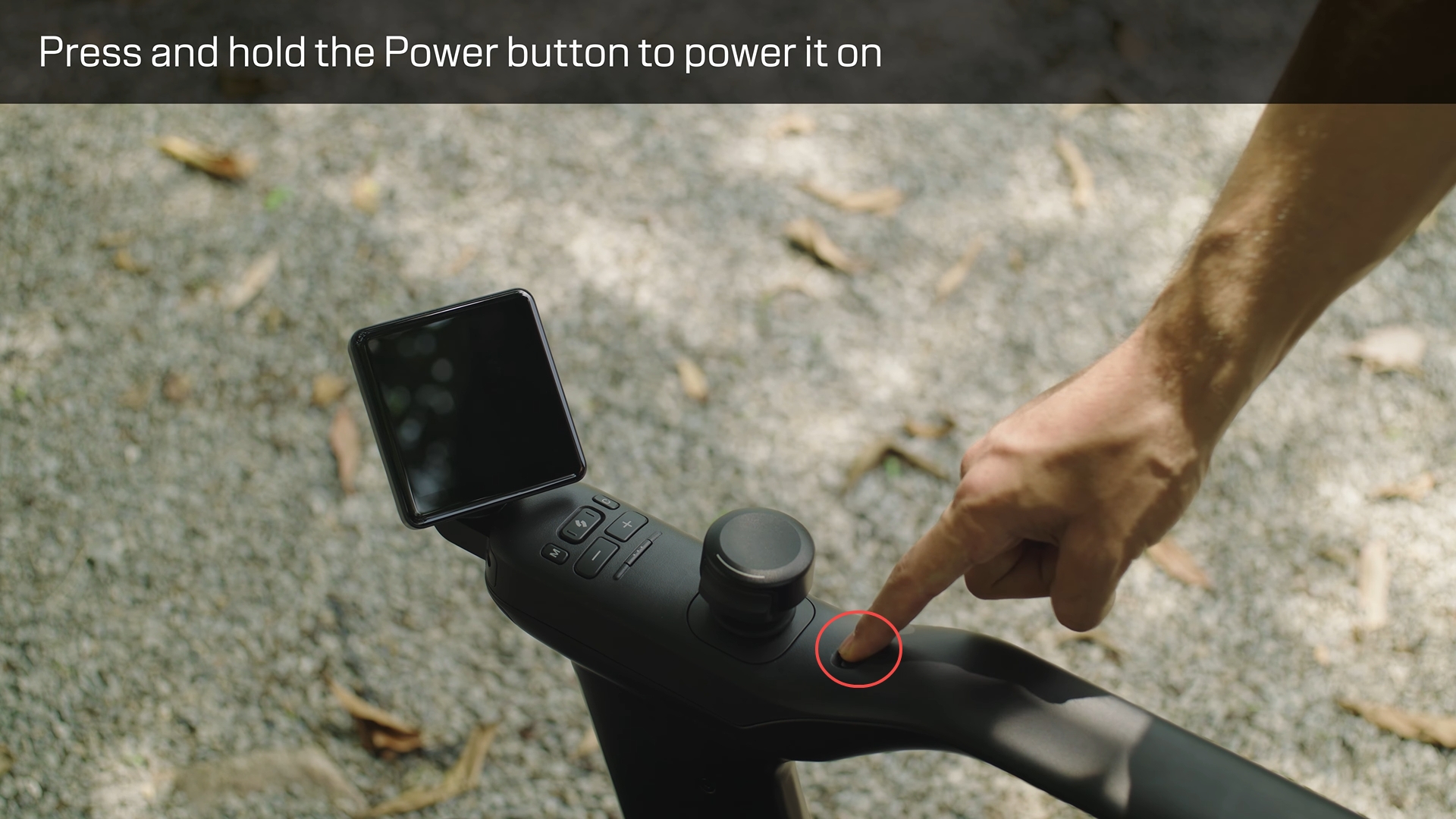
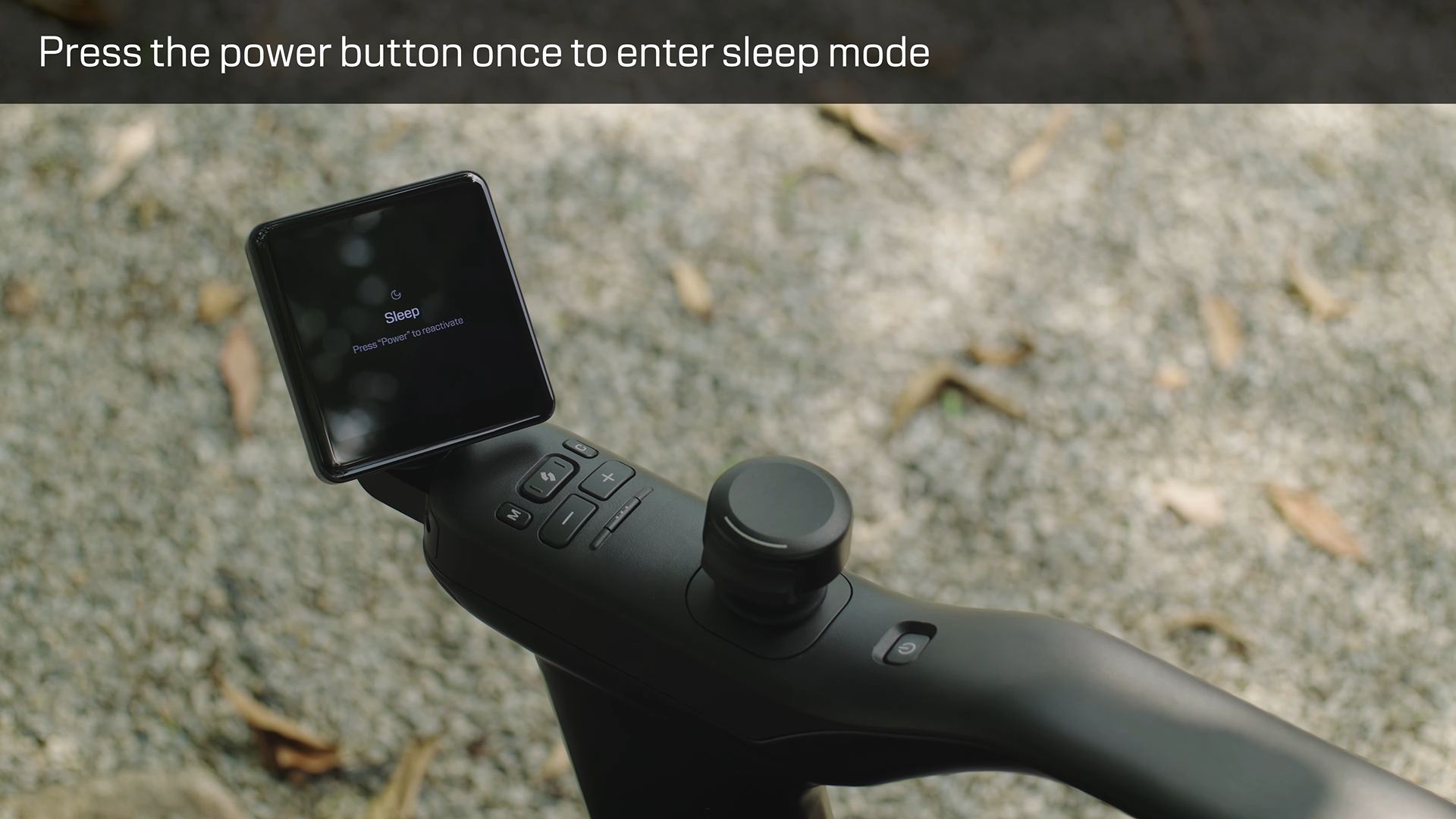
- Make sure you, the vehicle and the surroundings are safe.
- Use the power control shown to start the vehicle.
- Wait for the screen and system to start up.
- To conserve battery, enter Sleep Mode during short stops.
- At the end of use, park fully before powering off.
¶ Speed Adjustment
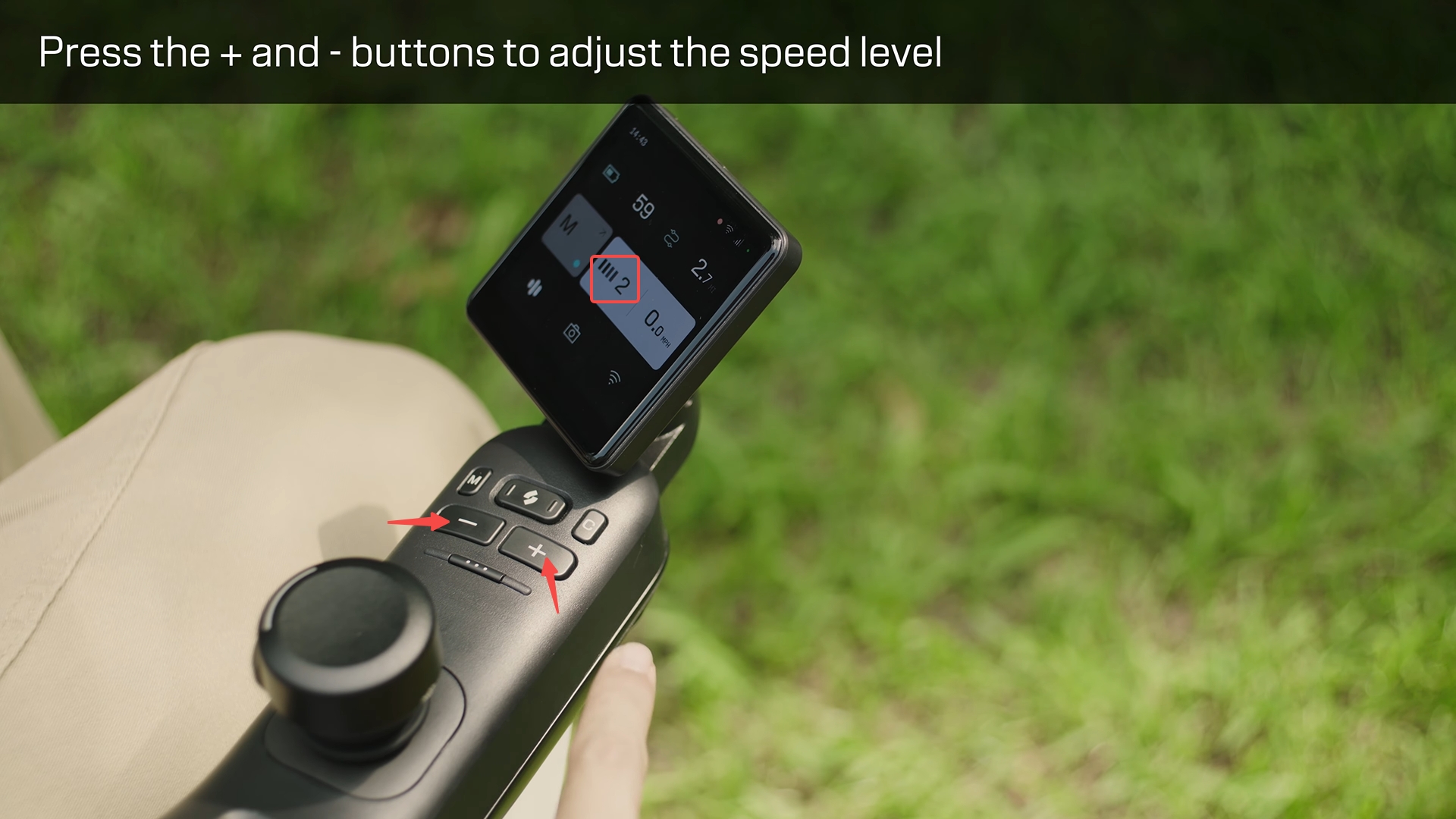
- Stop, or keep to a controlled low speed.
- Find the speed control on the screen or armrest.
- If you are new to the vehicle, start at the lowest speed level.
- Change one level at a time and check the screen.
- Slow down in narrow, crowded or complex spaces.
¶ Joystick Operation
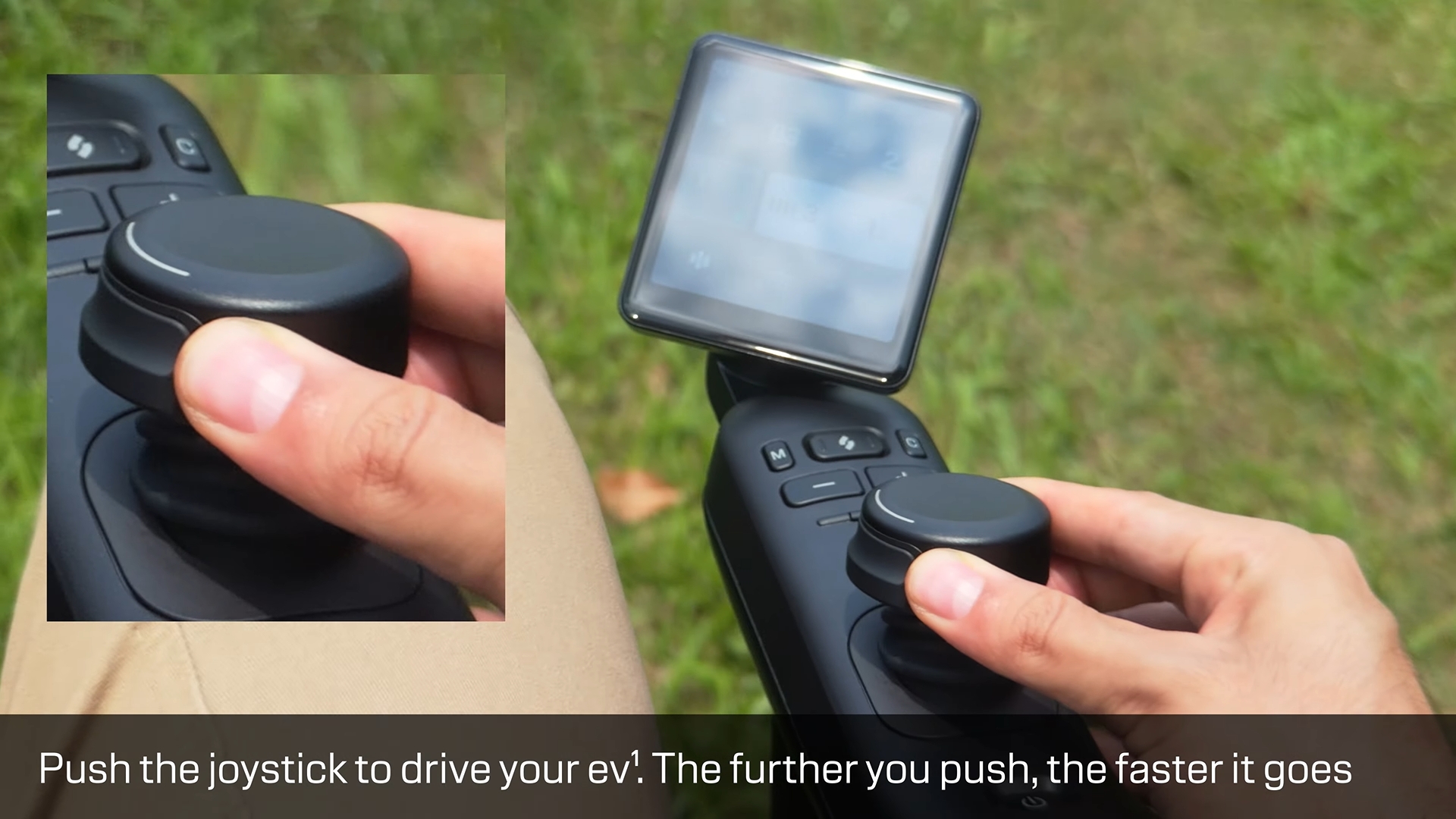
- Rest your hand naturally on the joystick.
- Push gently to move forward, then return it to the centre to stop.
- Pull gently to reverse, and keep checking behind you.
- Make small left and right movements to practise steering and tight turns.
- Release the joystick and check that the vehicle stops as expected.
¶ Function Buttons
- Use the video to identify each function button and what it shows on screen.
- While stationary, test each function one at a time.
- Check that the controls match your current software version.
- Before using an unfamiliar function, read the User Manual and try it in a safe environment.
Before moving on
Get comfortable with the basic controls before trying the driving modes below. Test every new mode at low speed in a familiar, flat, open area.
¶ 3) Main Driving Modes
The driving modes let you choose how much assistance you get, from full manual control to assisted driving and autonomous navigation.