App Virtual Joystick lets you drive your vehicle remotely using an on-screen joystick in the Strutt app, without sitting in the vehicle.
Caregivers can also configure Control Priority to take over using their preferred control.
This guide explains how to enable remote driving, open the Remote screen, access additional controls, and switch control sources.
¶ Before You Start
- Bind the Strutt app to the vehicle and ensure that the vehicle is connected to your Strutt App via Bluetooth.
- Keep the vehicle powered on. It must not be asleep or powered off.
- Keep the vehicle in sight while using the virtual joystick.
Using Co-Pilot or Co-Pilot+ is recommended when driving with the virtual joystick.
¶ Turn On App Virtual Joystick
On the vehicle:
- Open Settings.
- Go to Quad Drive → Drive Controls.
- Turn on App Virtual Joystick.
¶ Open the Virtual Joystick
- Make sure the vehicle is powered on, rather than asleep or powered off.
- Open the Strutt app.
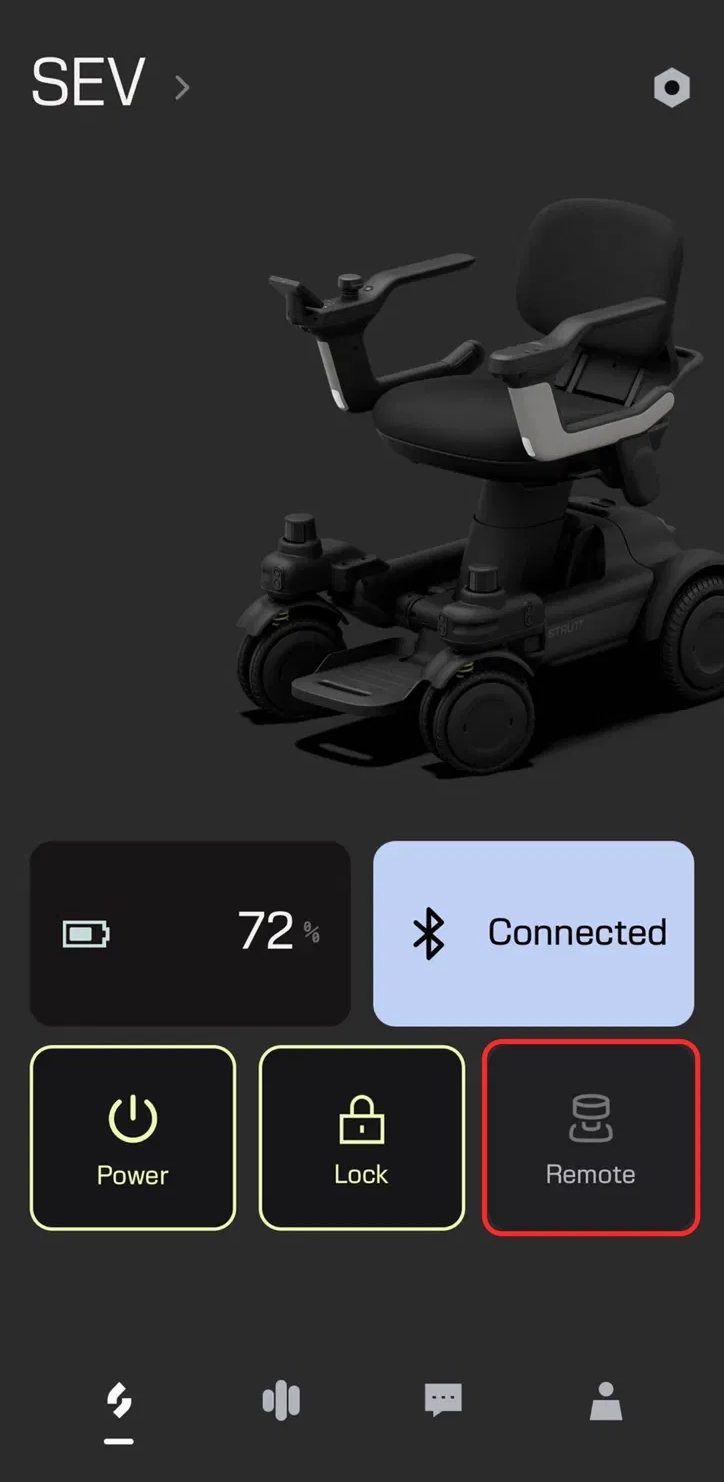
- Tap Remote.
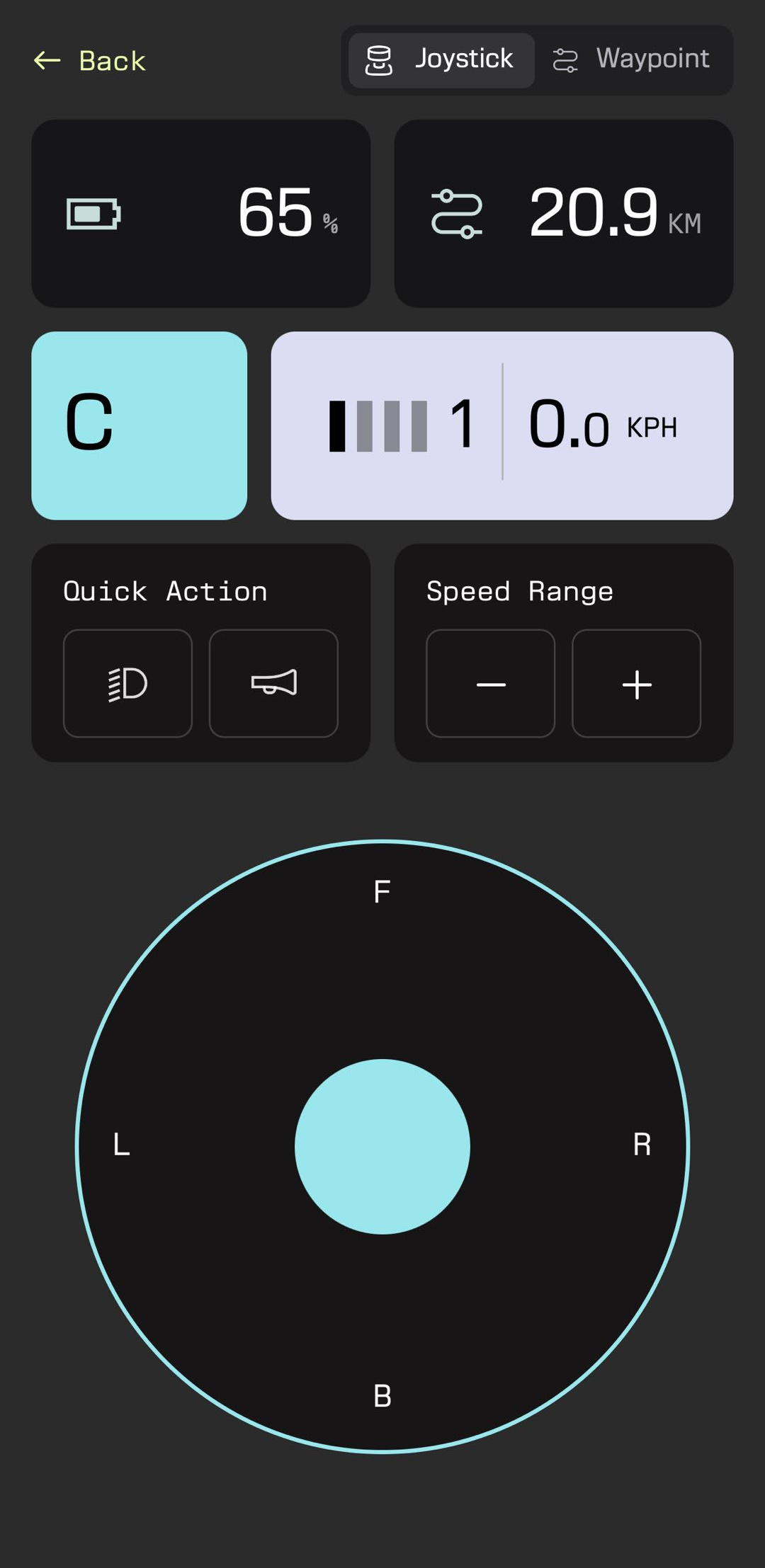
- Use the on-screen virtual joystick to drive the vehicle.
Maintain sight of the vehicle while operating it.
¶ Use the Additional Remote Controls
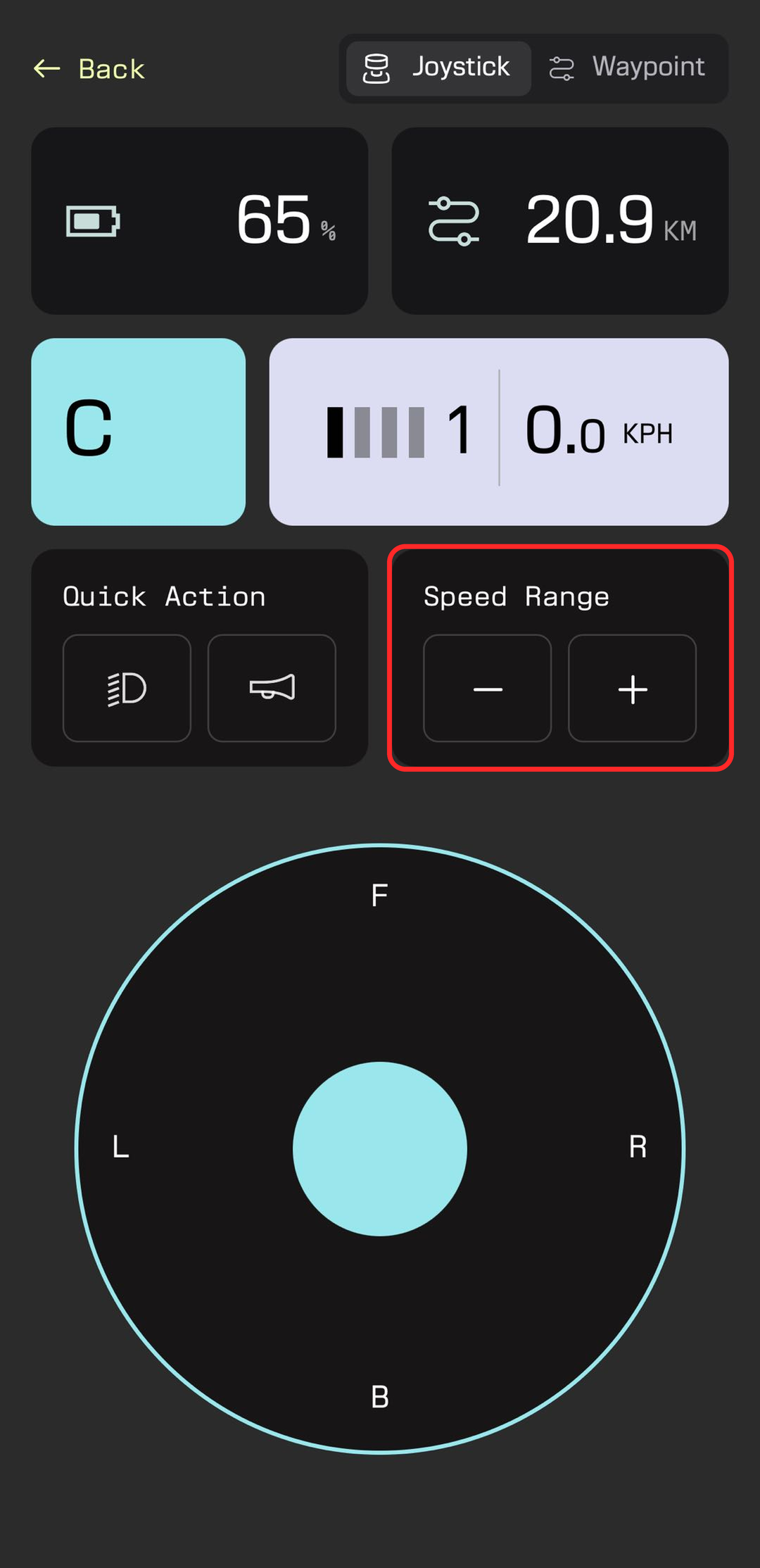
The Remote screen also provides controls for the following functions:
| Function | Purpose |
|---|---|
| Horn | Sound the vehicle’s horn. |
| Headlights | Turn on the vehicle’s headlights. |
| Speed range | Adjust the driving speed range. |
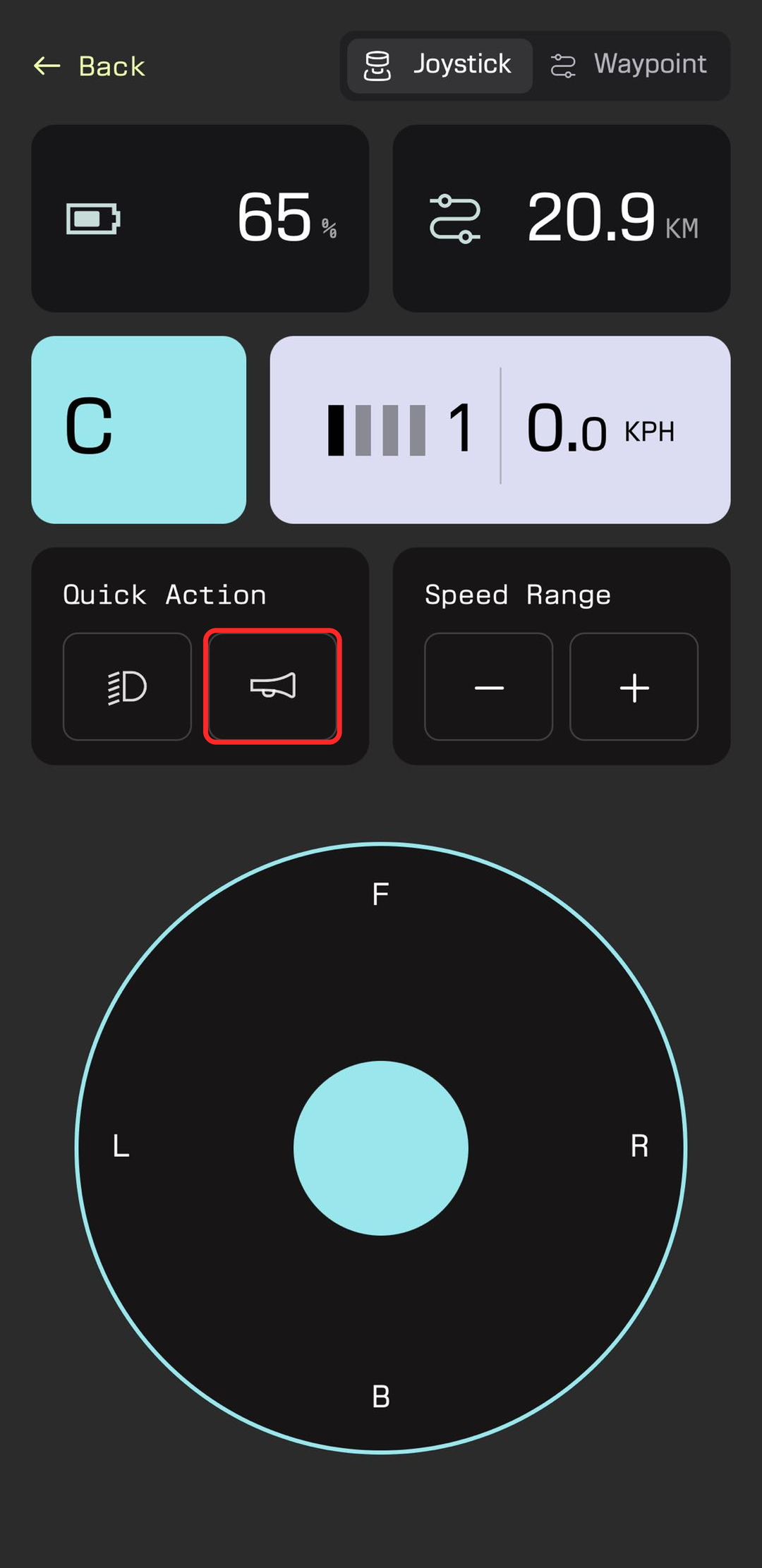
¶ Use the Horn
Use the horn control on the Remote screen.
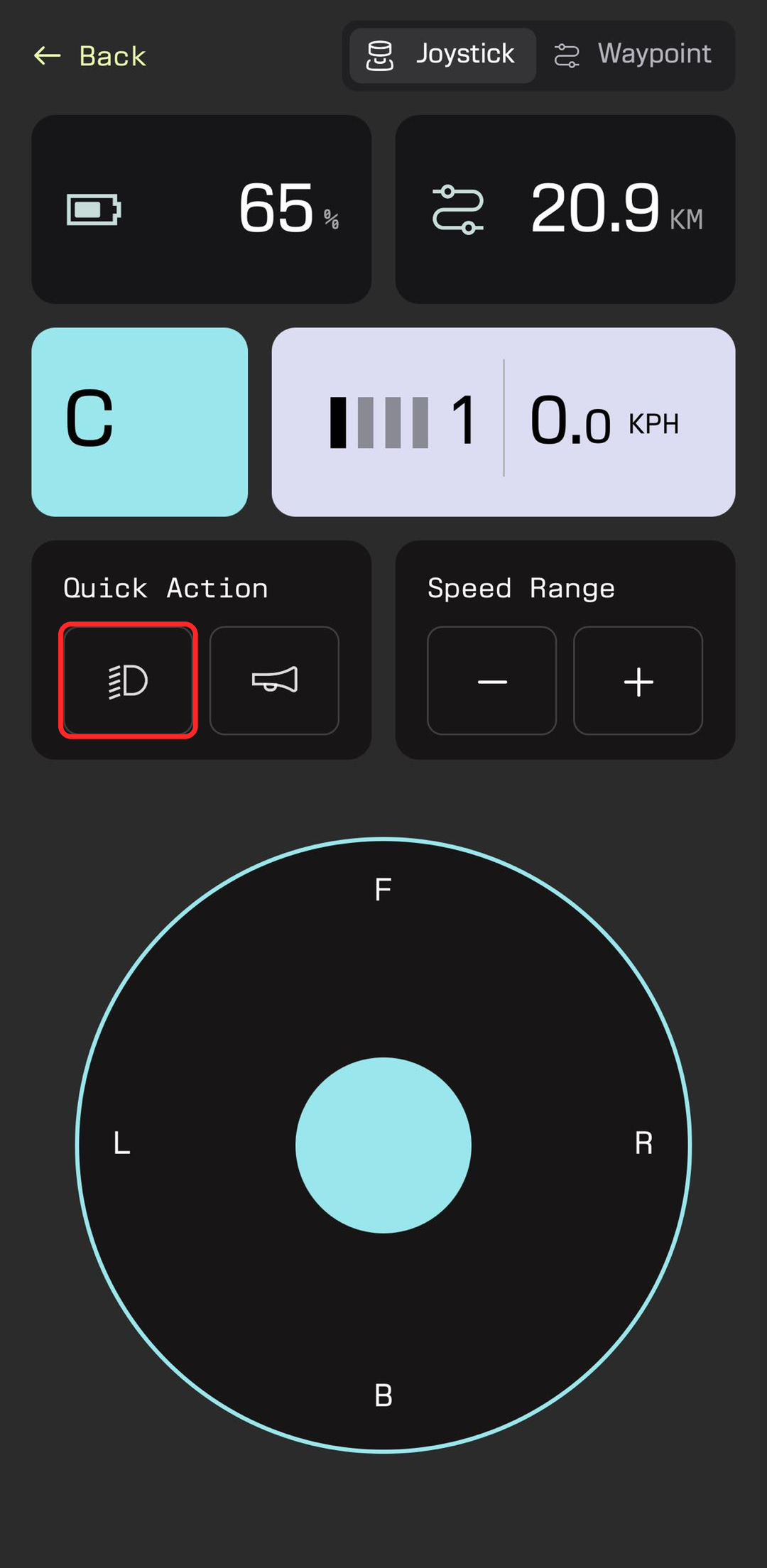
¶ Turn On the Headlights
Use the headlight control on the Remote screen.
¶ Adjust the Speed Range
Use the speed range control on the Remote screen.
¶ Switch to Another Control
You can view the full guide here: Control Priority.
Control can be taken over using:
- The physical joystick, depending on Control Priority.
- The Smart Push Handle, depending on Control Priority.
To configure which control takes precedence, go to:
Settings → Quad Drive → Drive Controls → Control Priority
Set the control intended for caregiver takeover to the appropriate priority.
¶ Compatibility With Other Functions
| Function | Compatibility with App Virtual Joystick |
|---|---|
| Manual Mode | Compatible |
| Co-Pilot Mode | Compatible |
| Co-Pilot+ Mode | Compatible |
| Waypoints, Pathfinder & Maps (Auto-Pilot) | Not Compatible |
| Essential Mode | Compatible |
| Range Mode | Compatible |
| Privacy Mode | Compatible |
| Smart Push Handle | Not Compatible |
| AI Assistant | Not Compatible |
| Cruise Mode | Not Compatible |
| Follow Mode | Not Compatible |
¶ Safety Information
- Keep the vehicle in sight whenever you use the virtual joystick.
- Using Co-Pilot or Co-Pilot+ is recommended while driving remotely.
- Check Control Priority before relying on the physical joystick or Smart Push Handle to take over.
¶ Frequently Asked Questions
¶ What do I need before using App Virtual Joystick?
Bind the Strutt app to the vehicle, connect via Bluetooth, and turn on App Virtual Joystick in the vehicle settings.
The vehicle must be powered on.
¶ Where do I enable App Virtual Joystick?
Go to Settings → Quad Drive → Drive Controls → App Virtual Joystick.
¶ Where do I find the on-screen joystick?
Open the Strutt app and tap Remote.
¶ Can I use it while the vehicle is asleep or powered off?
No. The vehicle must be powered on.
¶ Can a caregiver take over?
Yes. Configure Control Priority for the intended control. Takeover using the physical joystick or Smart Push Handle depends on that priority.
¶ Which driving mode is recommended?
The source recommends Co-Pilot or Co-Pilot+ when using the virtual joystick.