Drive Controls lets you choose which control takes priority when more than one control is used at the same time.
This helps caregivers take over the vehicle when needed. You can reorder the controls and configure Confirm Lower-Priority Takeover.
This guide explains how to set control priority, find the takeover confirmation setting, and prepare the app or Smart Push Handle for use.
¶ Before You Start
Complete the setup for the controls you want to use.
| Control | Required setup |
|---|---|
| App Virtual Joystick | Bind the Strutt app to the vehicle, connect it to the vehicle via Bluetooth, and turn on App Virtual Joystick. |
| Smart Push Handle | Install and activate the Smart Push Handle. |
For setup instructions, see:
¶ Set Control Priority
On the vehicle:
- Open Settings.
- Go to Quad Drive → Drive Controls → Control Priority.
- Drag the controls to arrange them in your preferred order.
- Place the control you want to have the highest priority at the top.
You can reorder these three controls:
- Joystick
- App Virtual Joystick
- Smart Push Handle
When more than one control is used at the same time, the control with the higher priority takes precedence.
¶ Set Confirmation Message for Lower-Priority Takeover
This is a safety feature to prevent users from accidentally triggering control from a lower priority. If that happens, a pop-up confirmation message will appear, and confirmation is required before the lower control priority can take over.
On the vehicle:
- Open Settings.
- Go to Quad Drive → Drive Controls.
- Find Confirm Lower-Priority Takeover.
- Set the confirmation option as required.
This setting controls the confirmation message for takeover by a lower-priority control. If it is enabled, a confirmation message is required. If a user needs to drive the vehicle with the Strutt App Joystick often, they can consider disabling the confirmation message for lower-priority takeover.
¶ Recognise Lower-Priority Takeover Notifications
The source guide includes notification examples for takeover using:
| Control requesting takeover | Notification example |
|---|---|
| App Virtual Joystick | 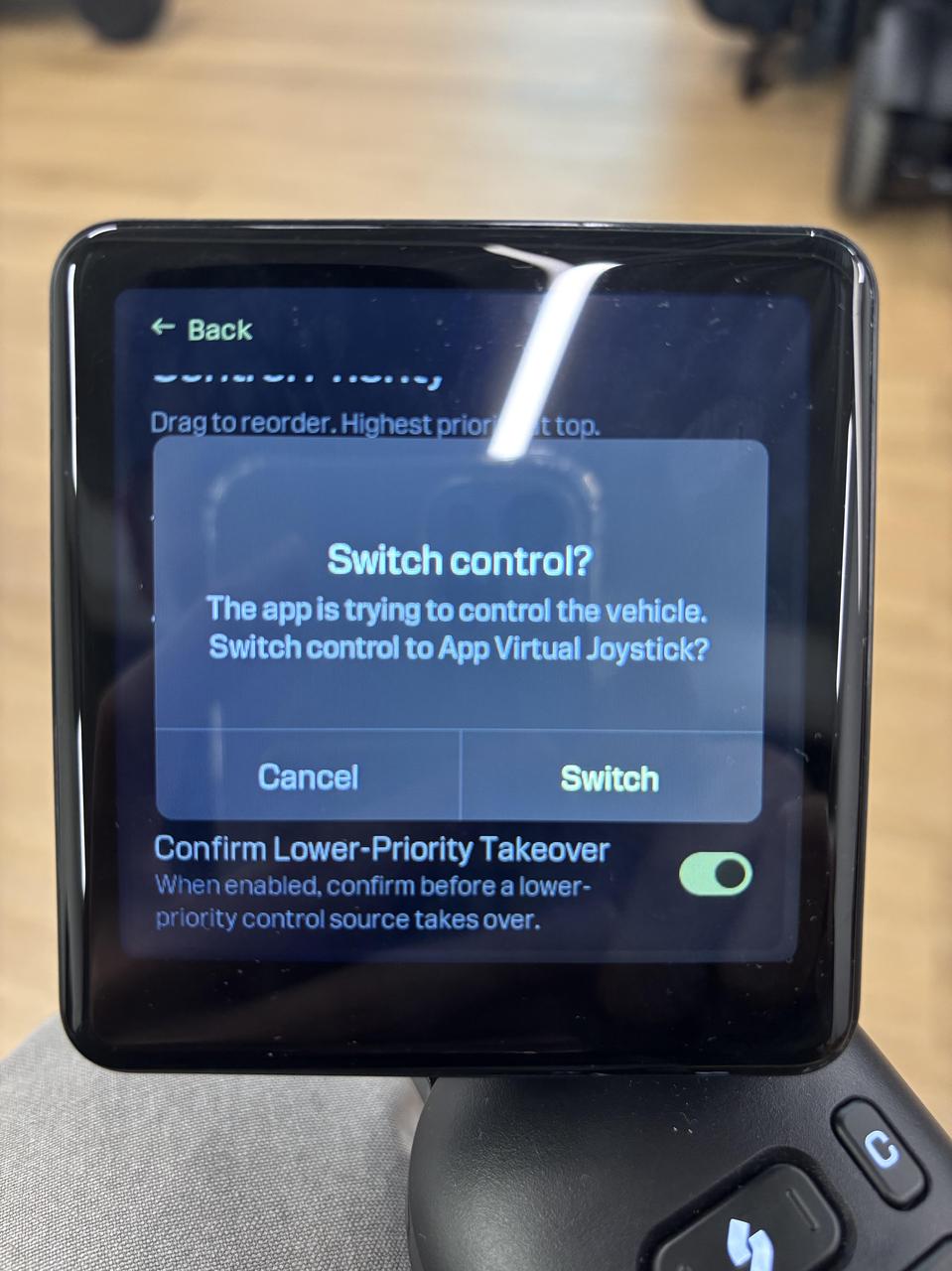 |
| Physical Joystick | 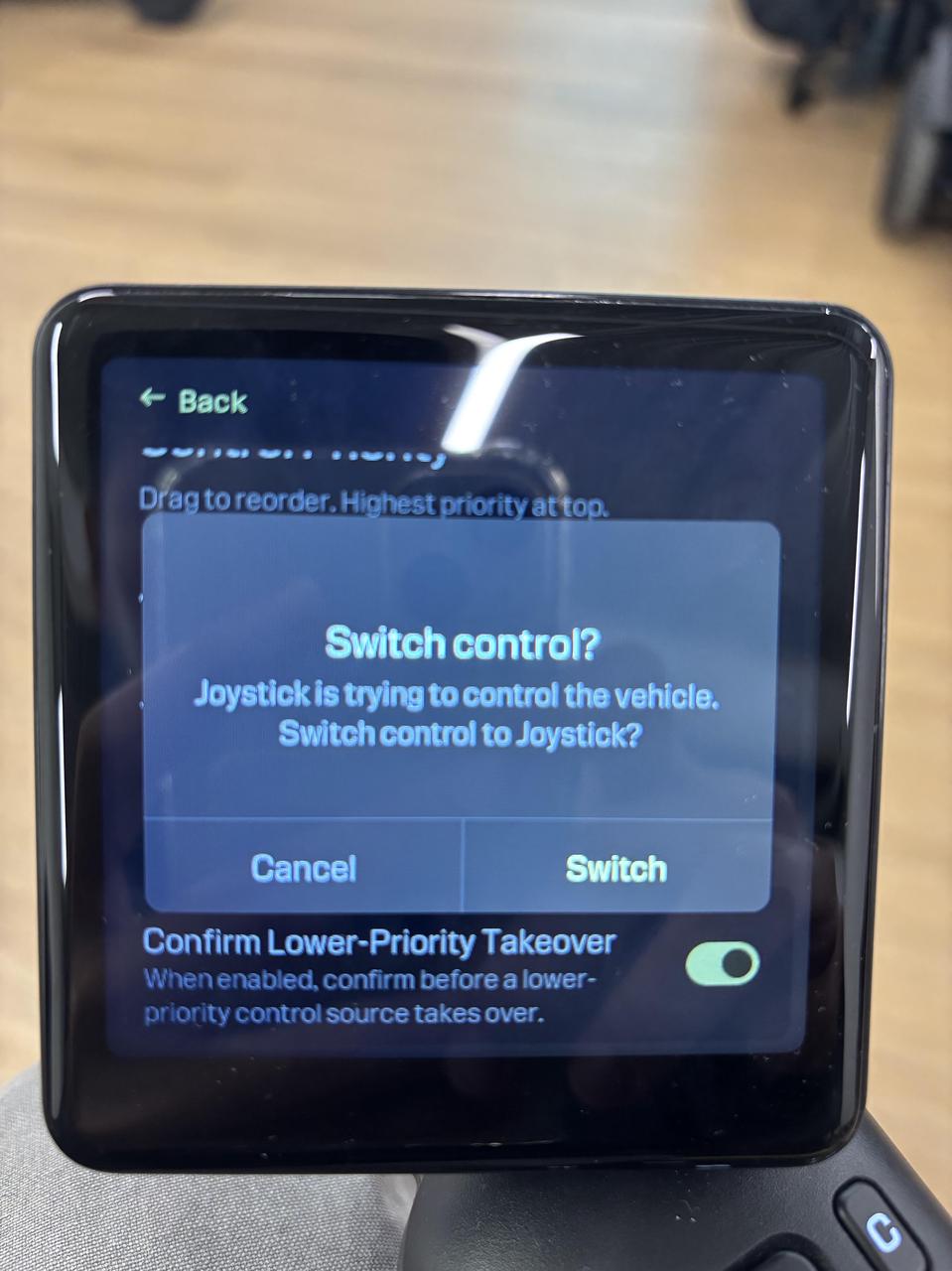 |
| Smart Push Handle | 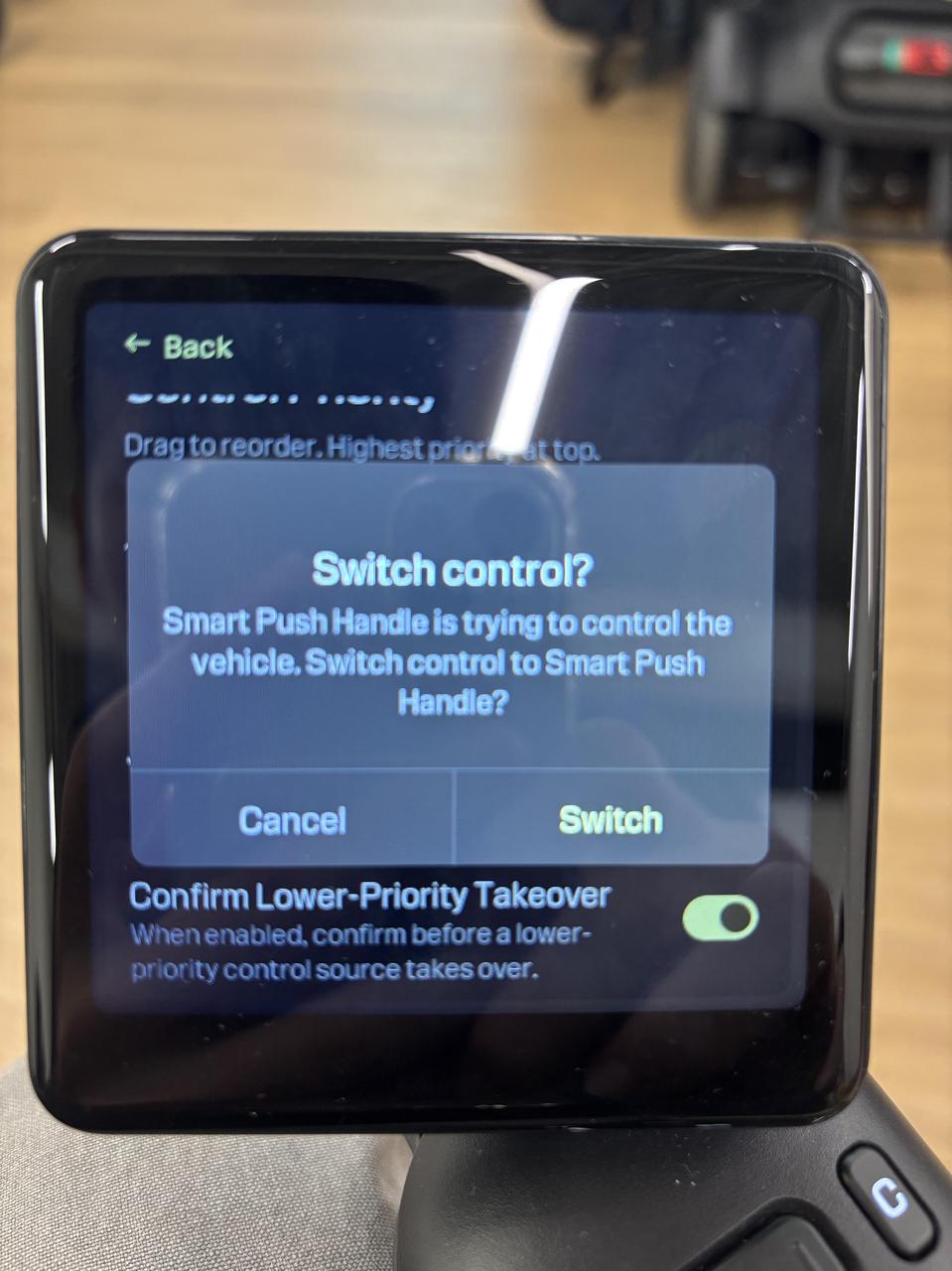 |
¶ Set Up for Caregiver Control
To give a caregiver’s control the highest priority:
- Go to Settings → Quad Drive → Drive Controls → Control Priority.
- Drag the control the caregiver will use to the top.
Turn on Confirm Lower-Priority Takeover so that when a lower control priority is used, there will be a confirmation that appears before it can switch the control. This is a safety feature to prevent accidental control takeover.
Settings → Quad Drive → Drive Controls → Confirm Lower-Priority Takeover → On
¶ Frequently Asked Questions
¶ Which controls can I prioritise?
You can set the priority of Joystick, App Virtual Joystick, and Smart Push Handle.
¶ Which position has the highest priority?
The control at the top of the list has the highest priority. Drag the controls to change their order.
¶ What happens when more than one control is used at the same time?
The control with the higher priority takes precedence.
¶ What do I need before using App Virtual Joystick?
The Strutt app must be bound to the vehicle and connected via Bluetooth. App Virtual Joystick must also be turned on.
¶ What do I need before using Smart Push Handle?
The Smart Push Handle must be installed and activated.
¶ Where is the lower-priority takeover confirmation setting?
Go to Settings → Quad Drive → Drive Controls → Confirm Lower-Priority Takeover.